Co-Mingled Identities
Last updated: September 24, 2026
Keep your data clean by classifying co-mingled identities up front.
Keep Case Files Clean with the Co-mingled Identities Feature
Accurate, organized documents are crucial when managing cases. The Co-mingled Identities feature in Wisedocs helps keep your data clean by catching documents that belong to someone else — all before files are finalized.
Here’s how to use it to review and resolve mismatched documents quickly.
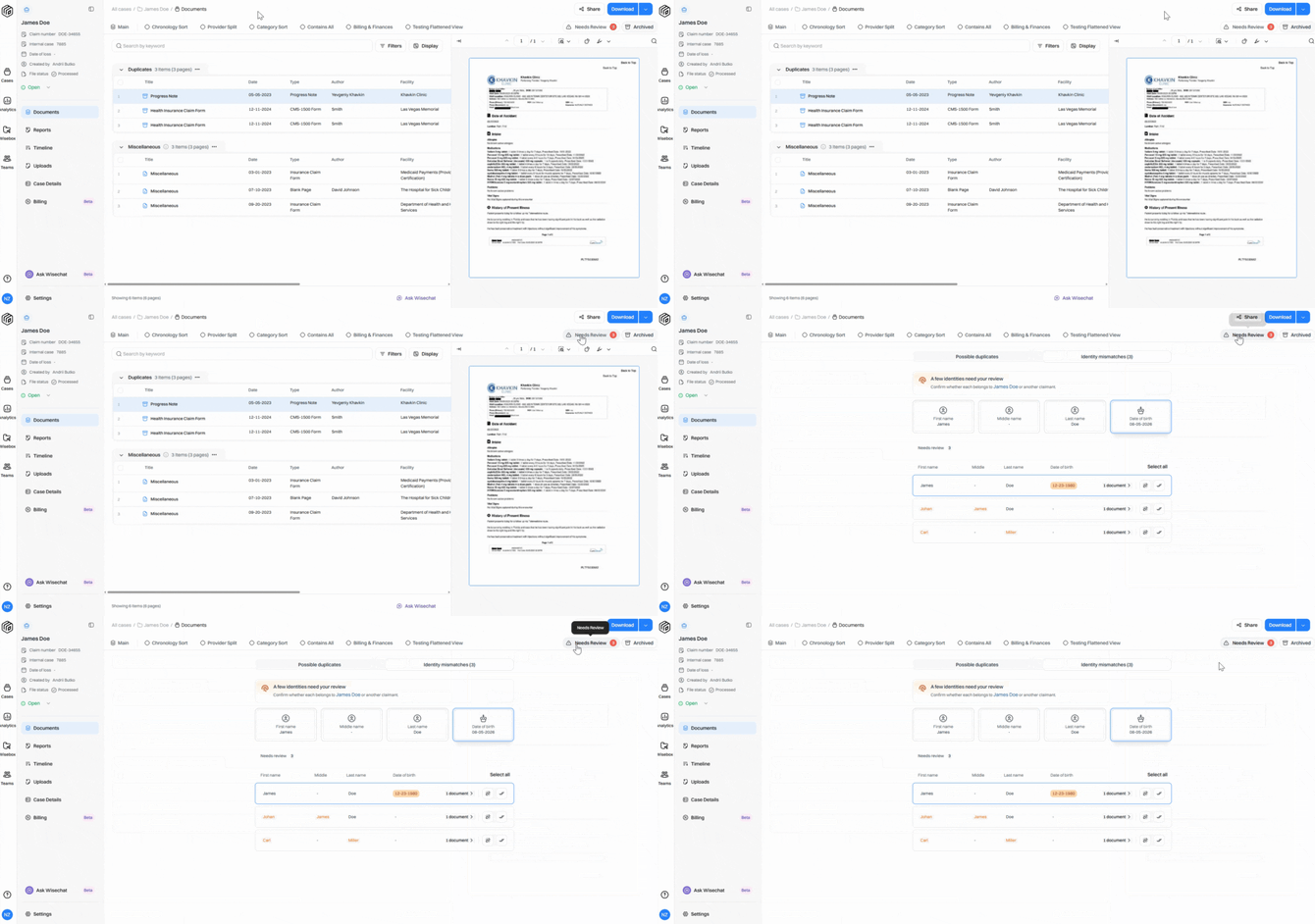
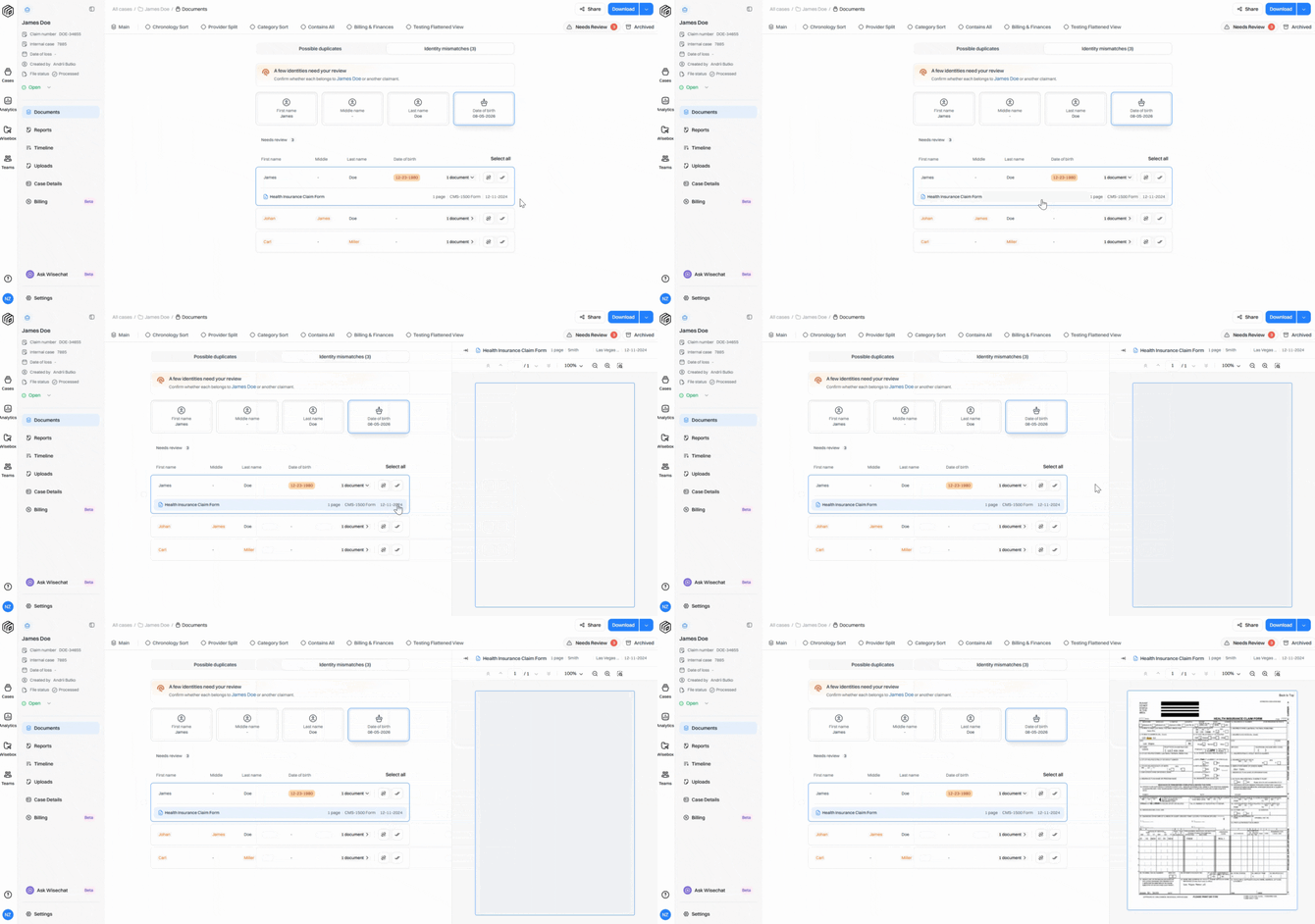
Step 1: Once you enter a case, go to the Needs Review section. You’ll see a preview showing the number of identities that need review.
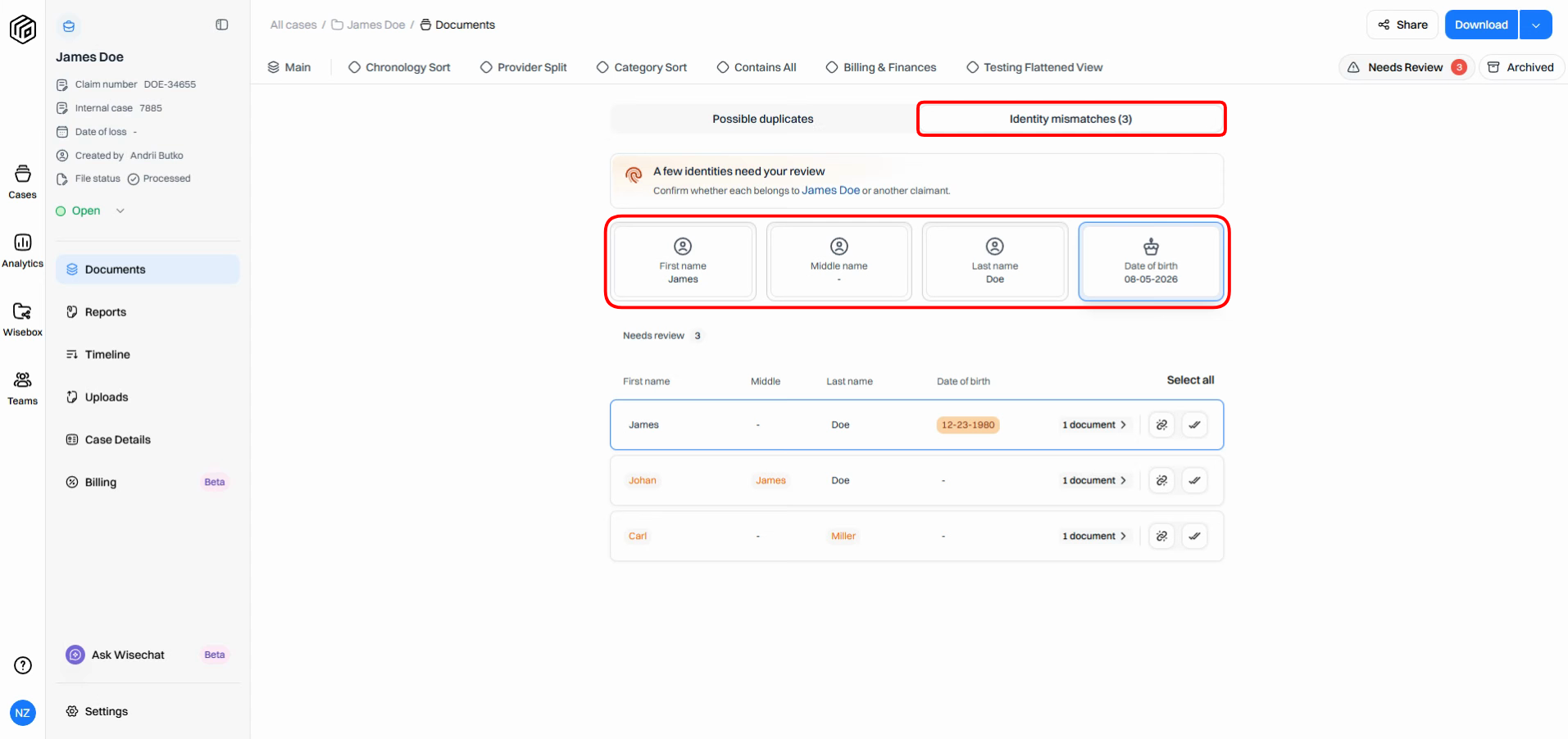
Step 2: Ensure you have selected the Identity Mismatches section. At the top, check the claimant information. This shows key identity fields — first name, middle name, last name, and date of birth — as entered when the case was created.
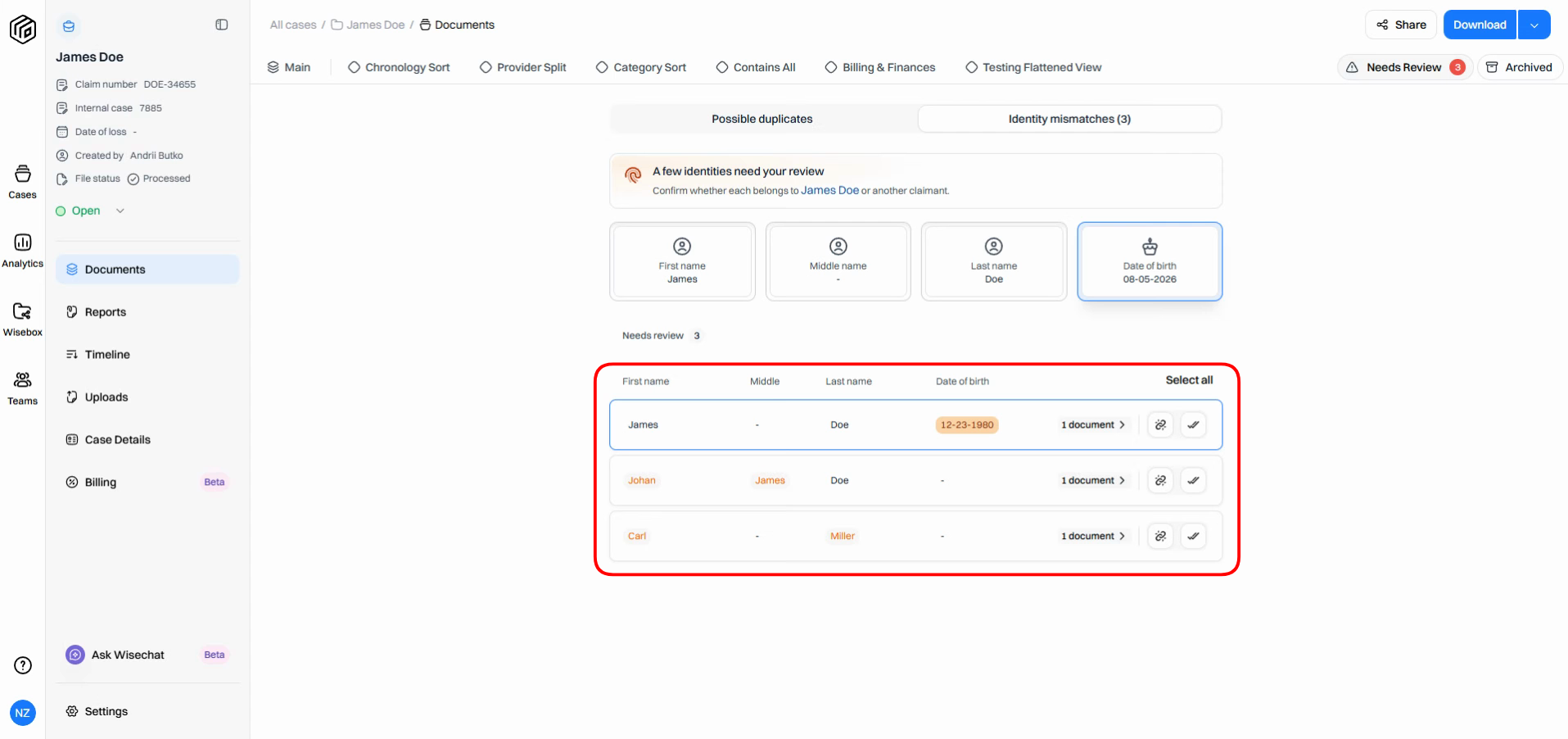
Step 3: Review the document groups below. Documents are grouped by mismatched identities. Mismatched fields appear in orange, making it easy to see what doesn’t match the claimant.
Step 4: To see more details, click the Document Count for any mismatched identity. This opens a breakdown of individual documents.
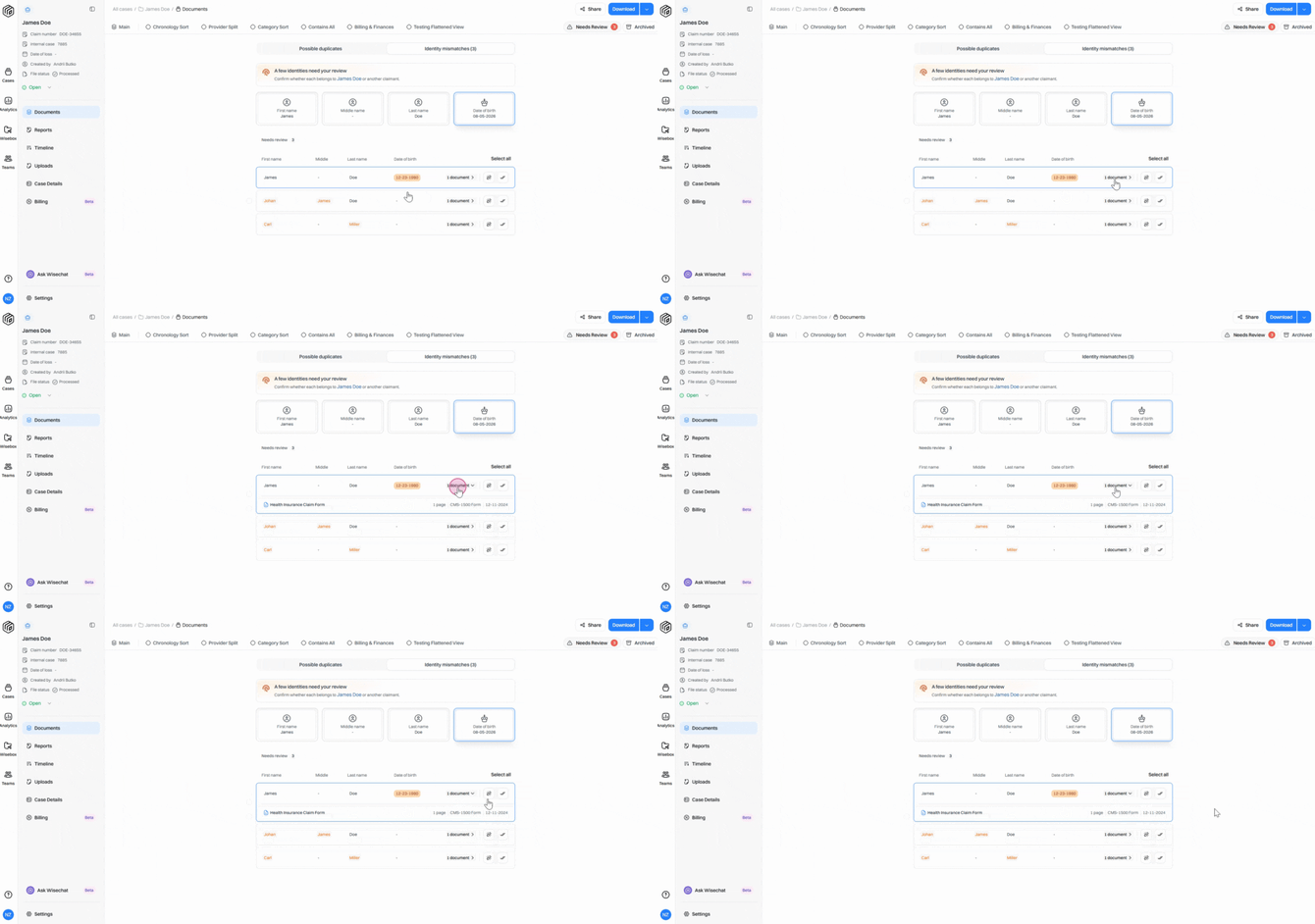
Step 5: Click into each document to open the PDF viewer. Review the source documents to make informed choices.
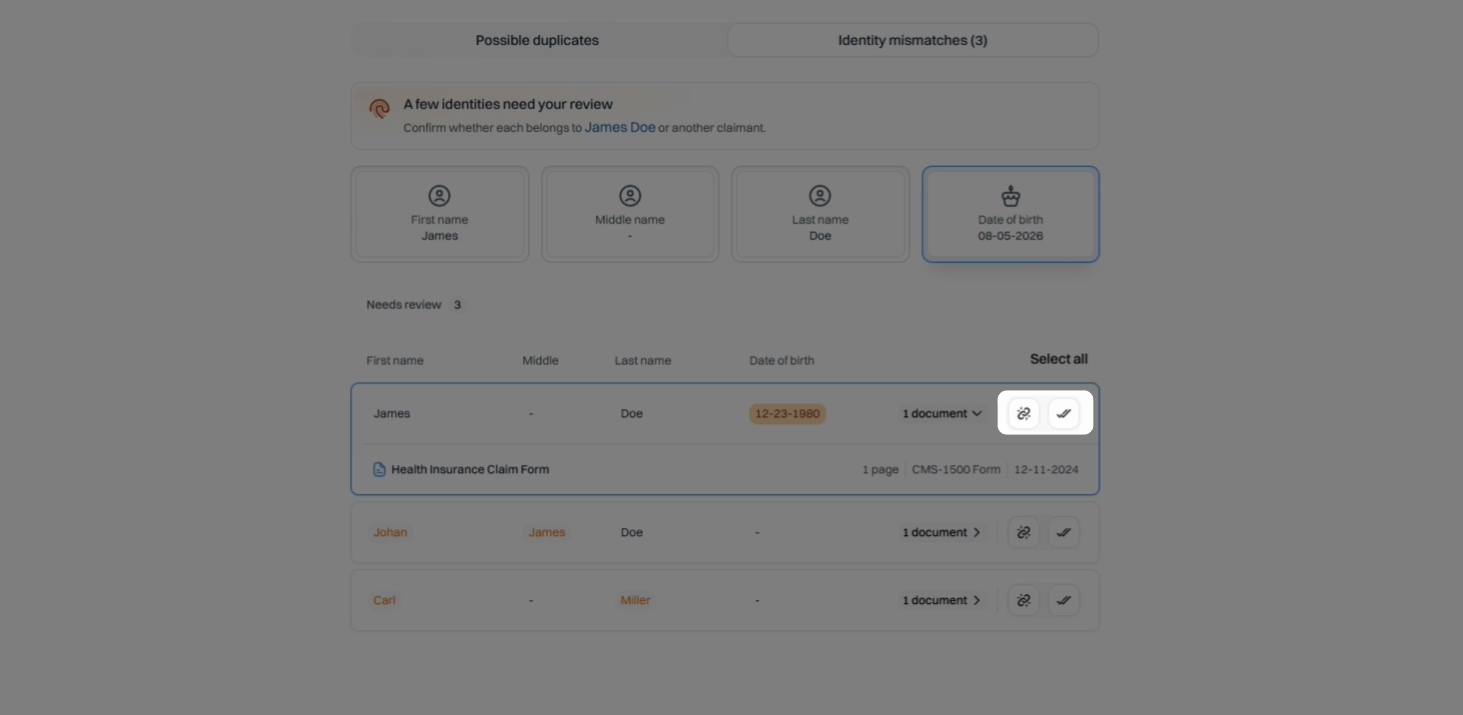
Step 6: After reviewing, decide how to handle the documents:
Click the check mark if the documents belong to the claimant.
Click the unlink icon if they do not.
Step 7: The documents will automatically move to the Reviewed Identities section after your choice.
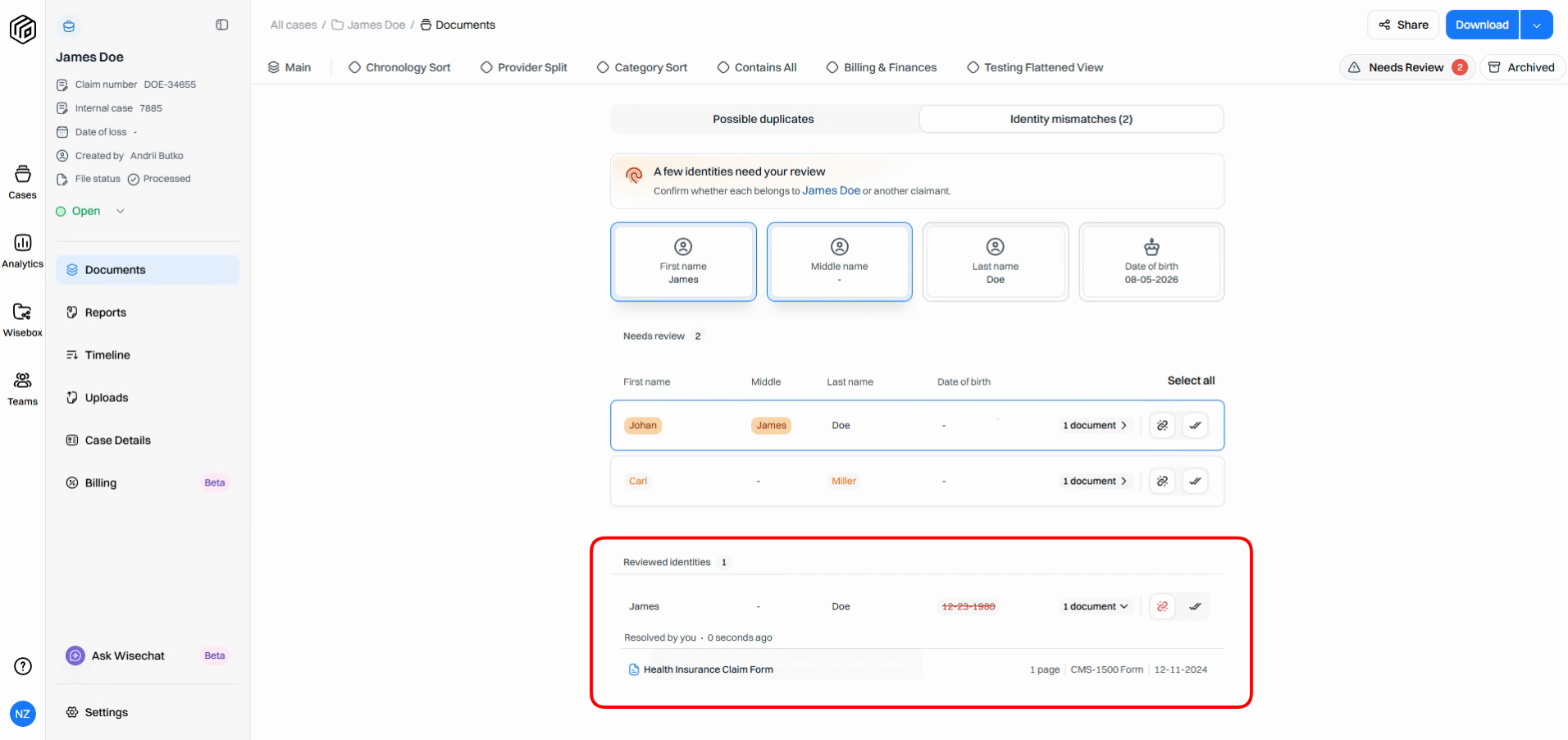
Step 8: To change a decision, revisit the Reviewed Identities section. You can update the status if needed: for example, if you find later that an identity does match the claimant identity, mark it accordingly.
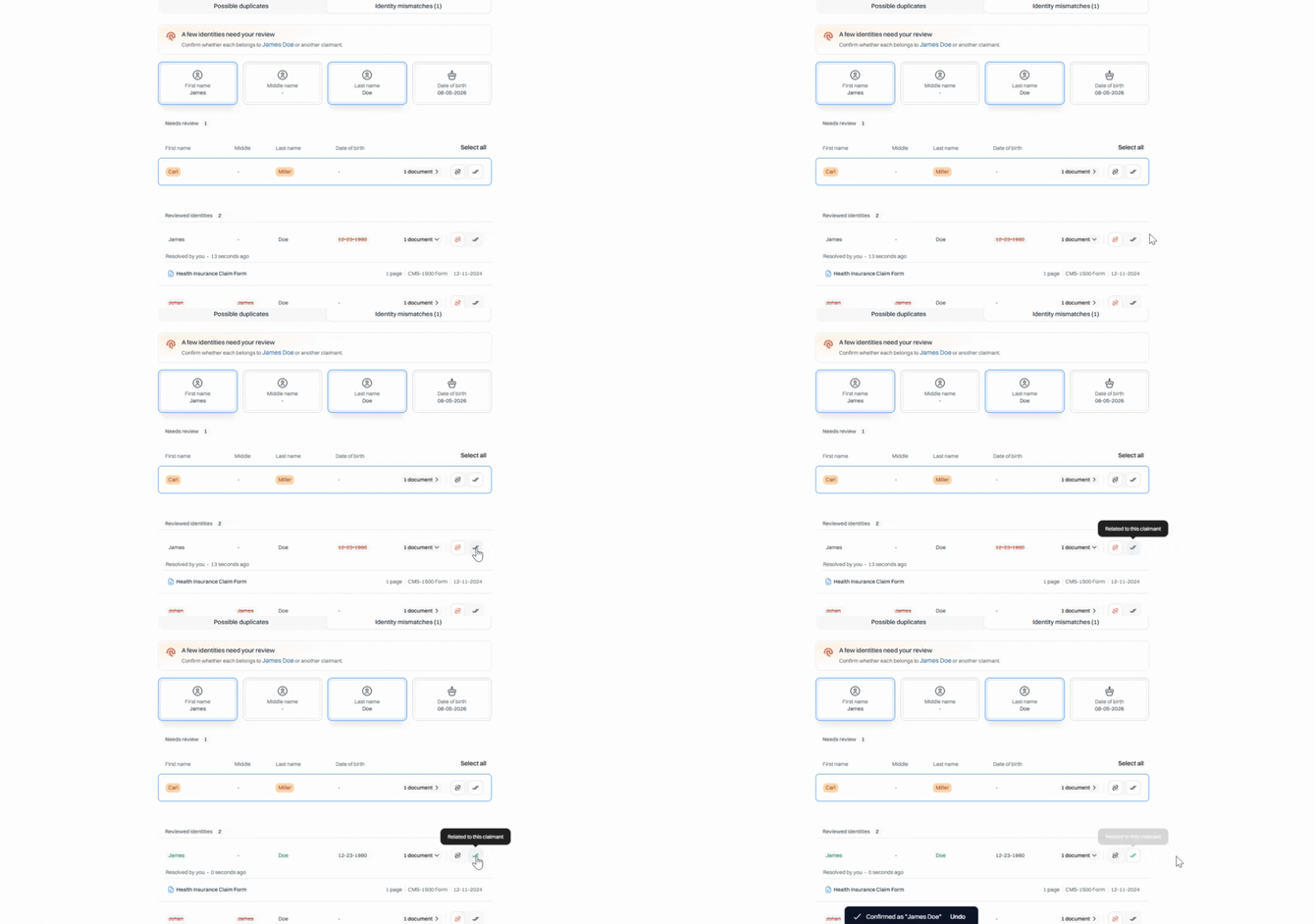
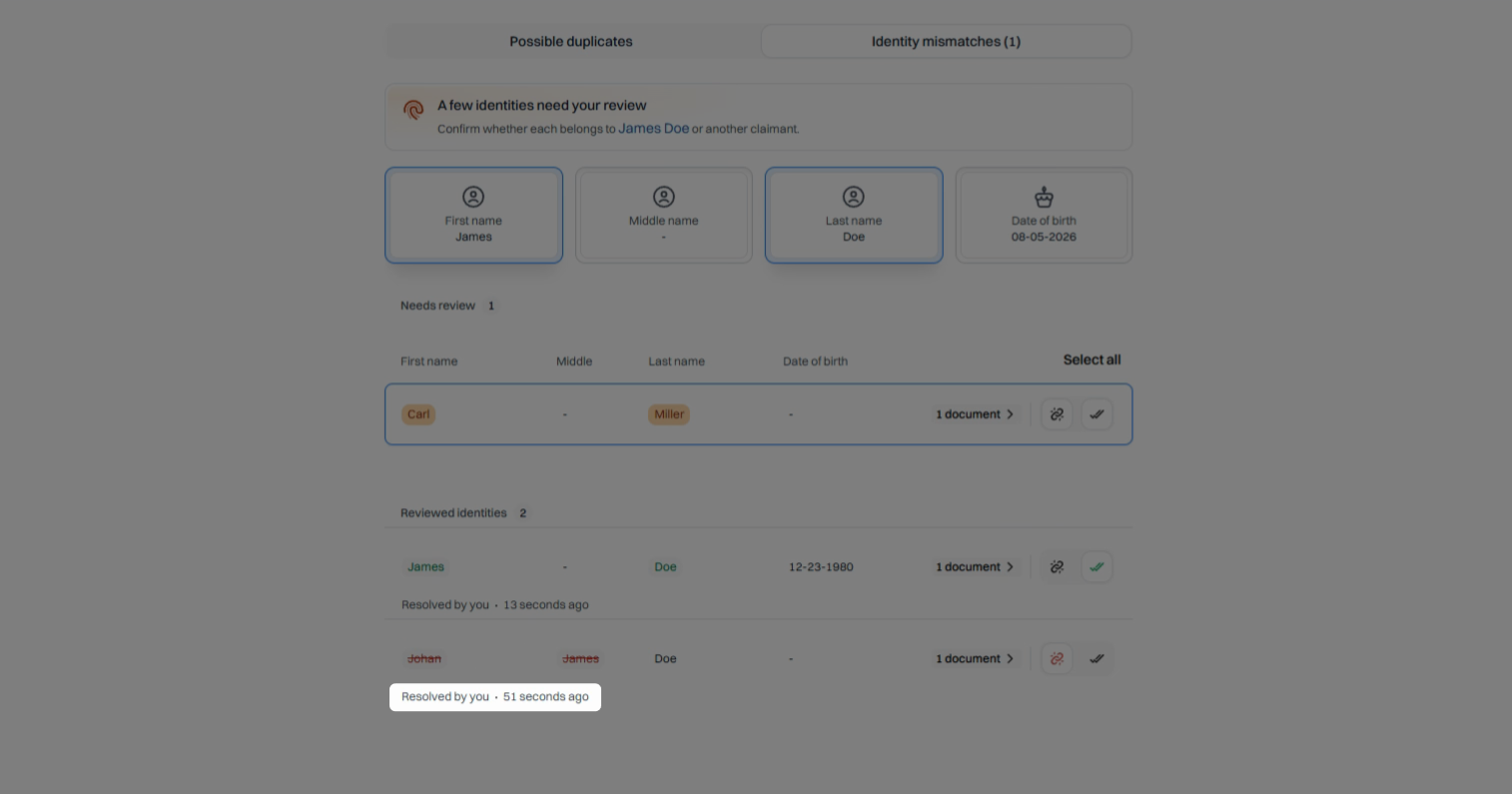
Step 9: Check the record of who resolved each identity and when for full transparency.
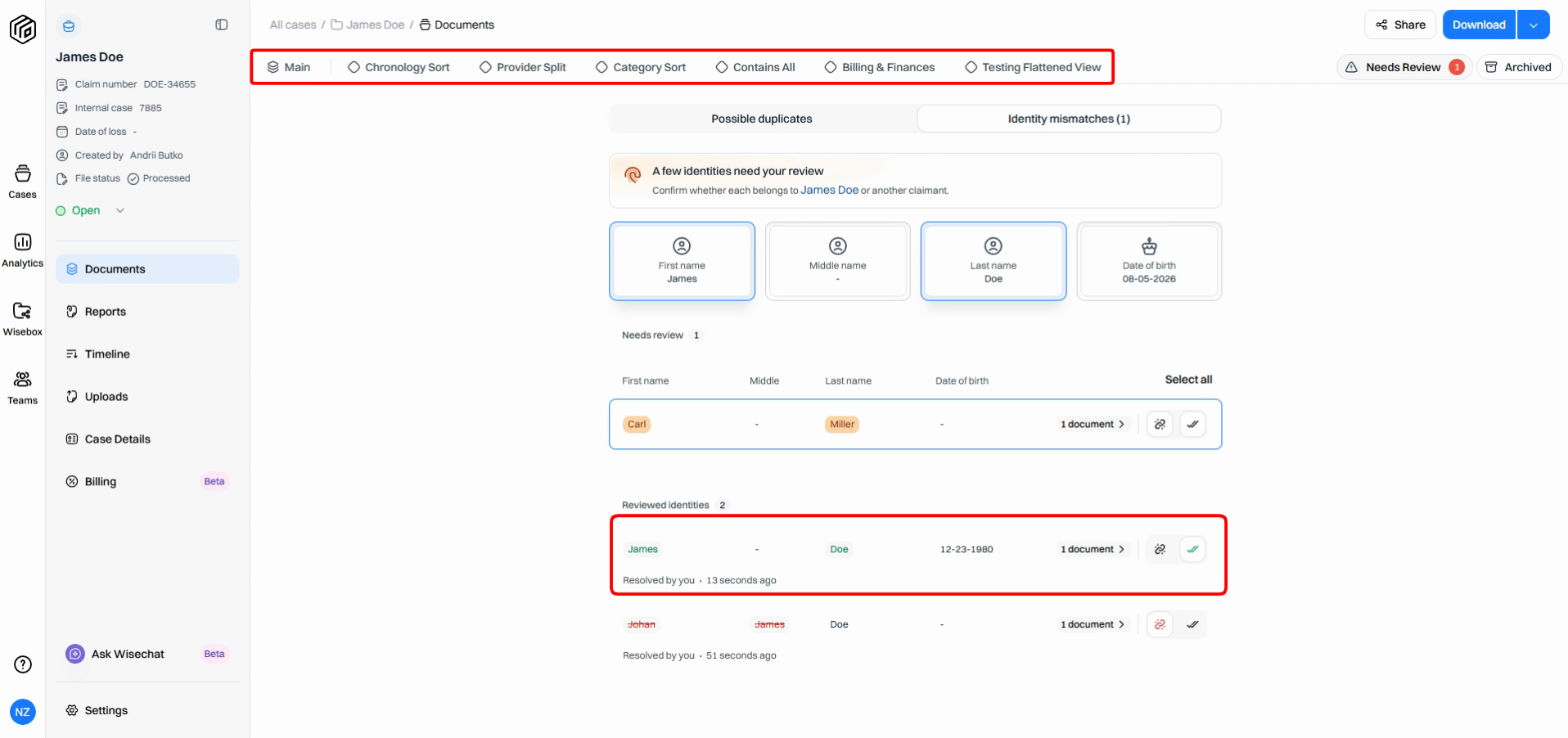
Step 10: Documents marked as related will remain active and visible throughout relevant collections.
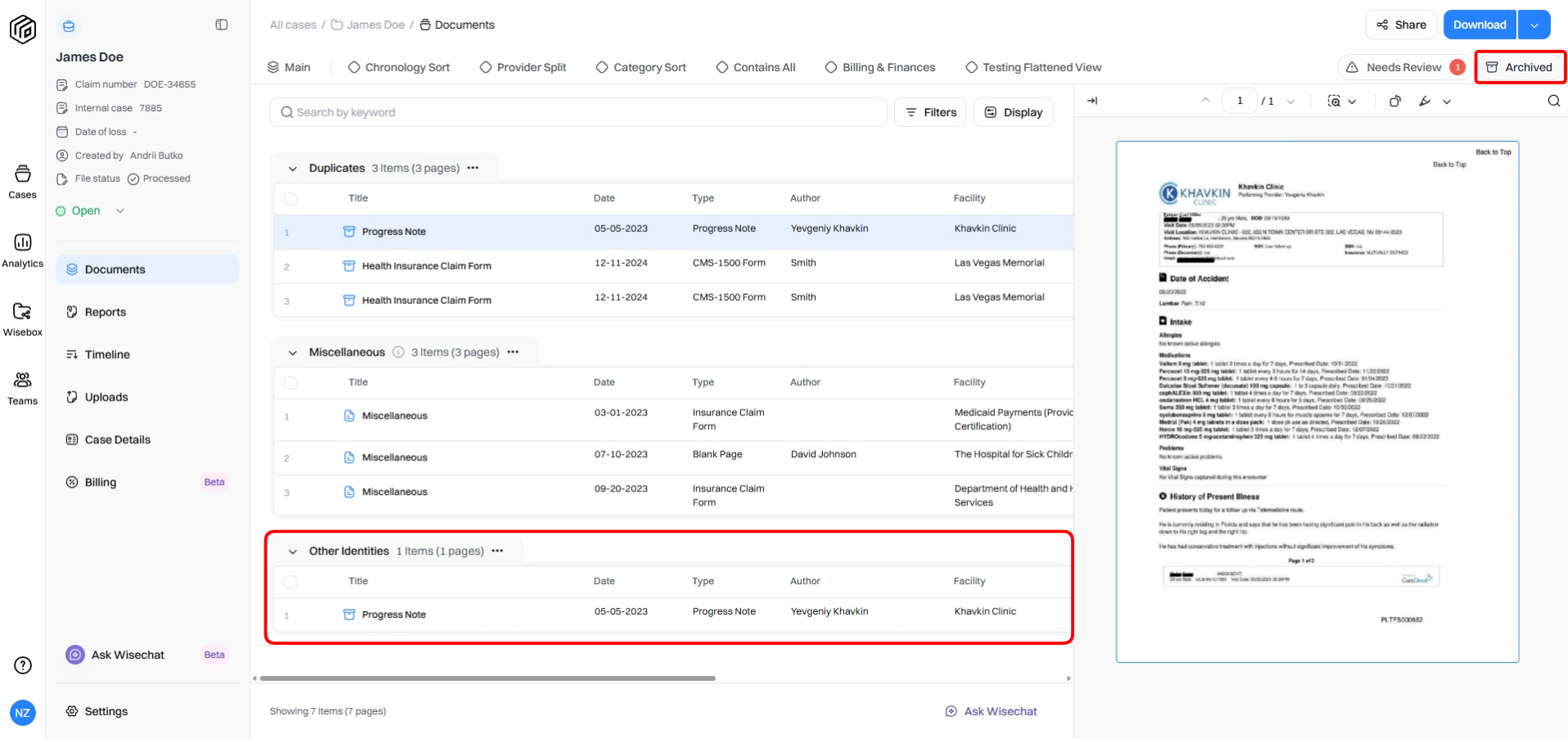
Step 11: Documents marked as unrelated will move to the archive and appear in a specific table for other identities.
By classifying co-mingled identities up front, you maintain consistent datasets and avoid potential issues down the line. This feature helps ensure that only relevant documents remain active, maintaining accurate, organized, and reliable case files.