
Creating a New Case in Wisedocs
Cases are your central workspace for everything related to a claim in Wisedocs. Follow these steps to create a new case quickly and start organizing your documents with ease.
Step 1: Click New Case at the top right of the screen. 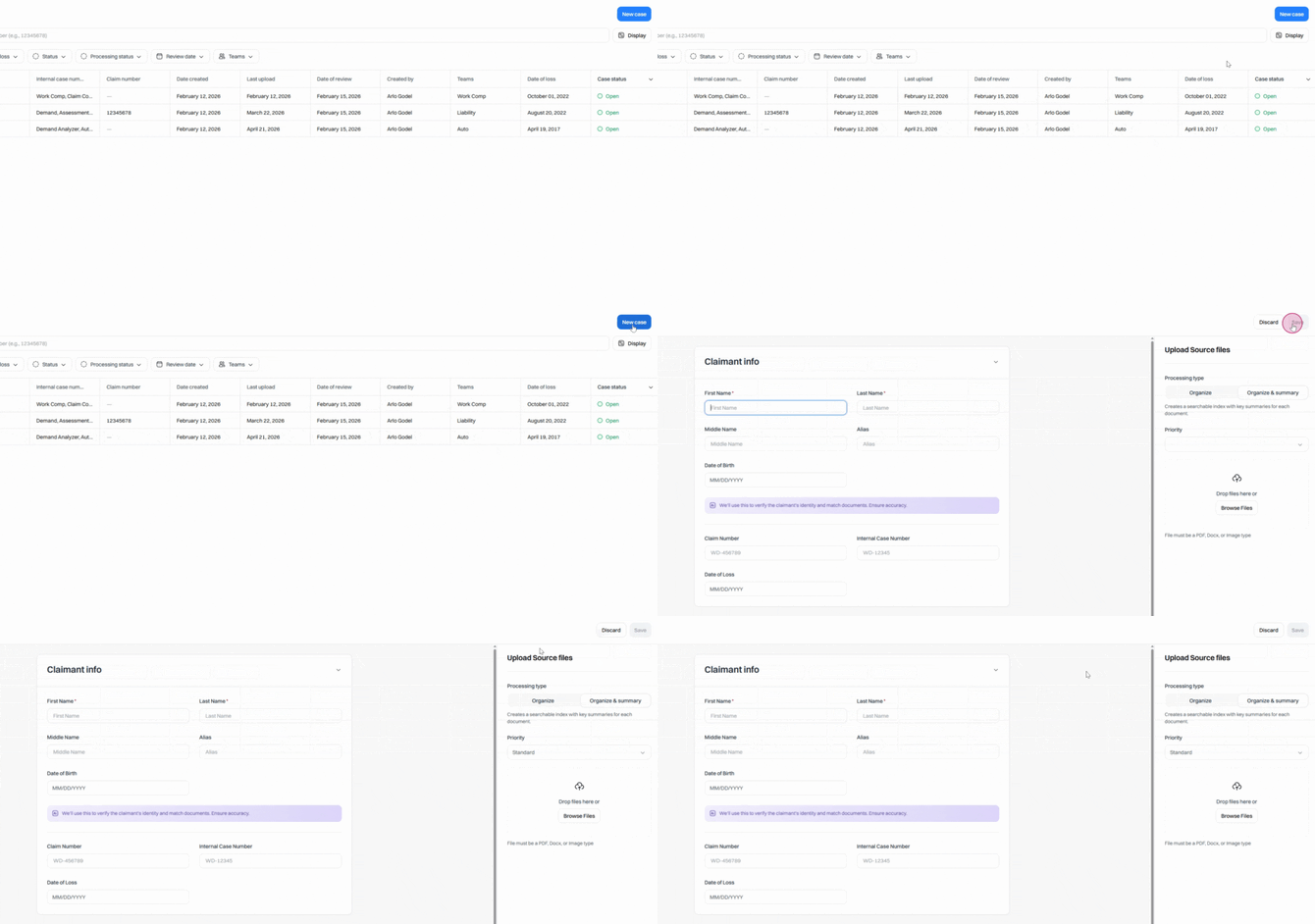
Step 2: Fill out the required fields in the case form. Fields marked with a red asterisk are mandatory.
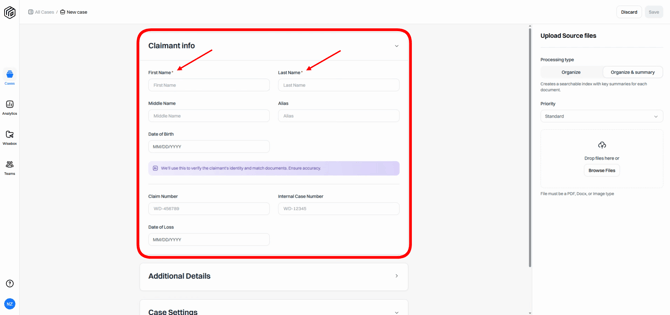
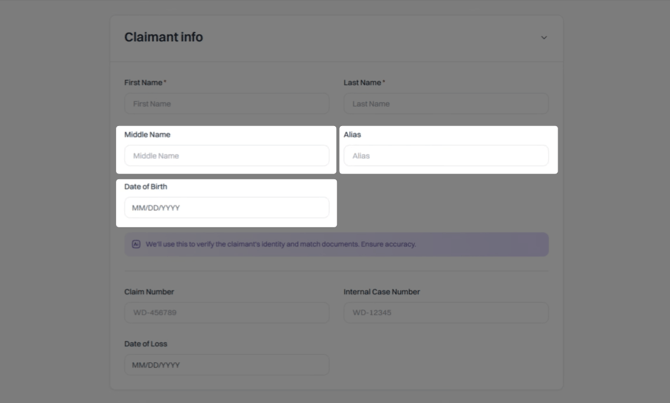
Please note that fields such as Middle Name, Alias, and Date of Birth, are essential to ensure that the Wrong Claimant feature functions correctly if it is enabled on your account.
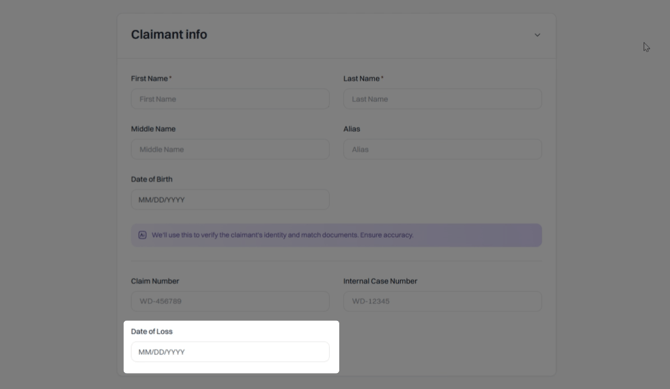
The Date of Loss is also an important field to fill out, especially if your account configuration relies on this data.
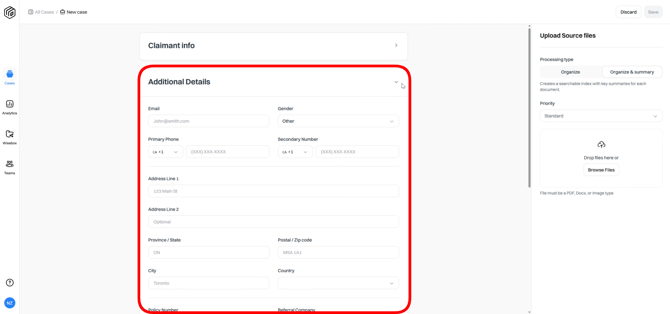
Step 3: Add any additional details as needed to provide more context.
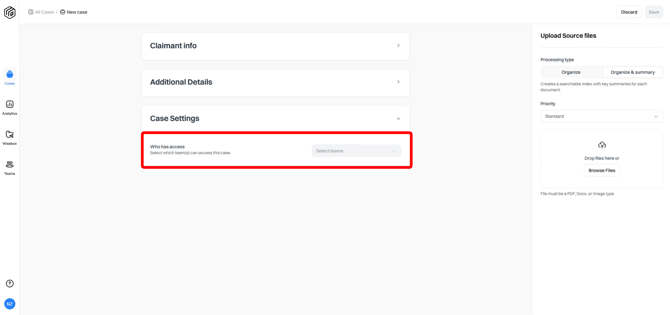
Step 4: If your account has Teams active, and if you belong to multiple teams, then you will be prompted to choose the teams that can access the case.
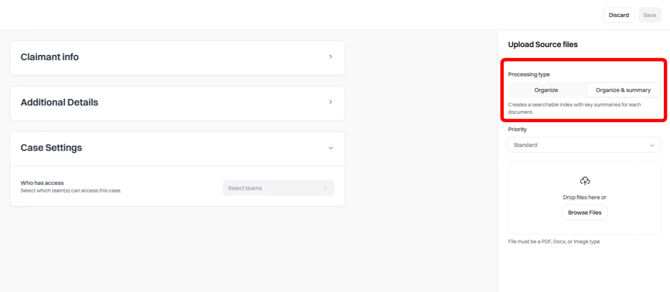
Step 5: Depending on your account setup and the features that you have access to, you may be able to select your processing type on the right side of the page — whether that's Organize or Organize and Summary. Otherwise the system will automatically default to the processing type that you're setup with.
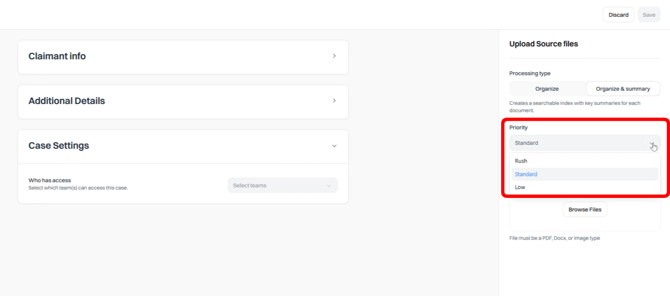
Step 6: Set the priority — Low, Standard, or Rush.
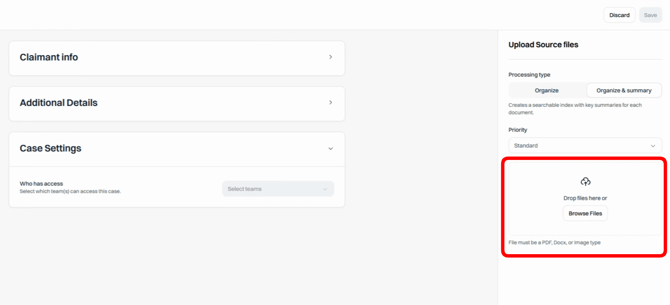
Step 7: Add your files. Drag and drop them into the Upload section, or select Browse Files to navigate your folders. You can add multiple files at once.
Acceptable file types include PDFs, Word documents, PNGs, JPEGs, and TIFF files. Folders and zip files cannot be uploaded.
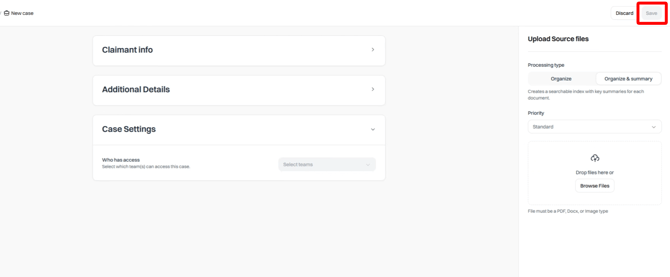
Step 8: Click Save at the top right when you're ready to create the case. Your documents will then begin processing.
Step 9: If you need to abandon the case creation at any time, click Discard next to the Save button to return to the All Cases view. 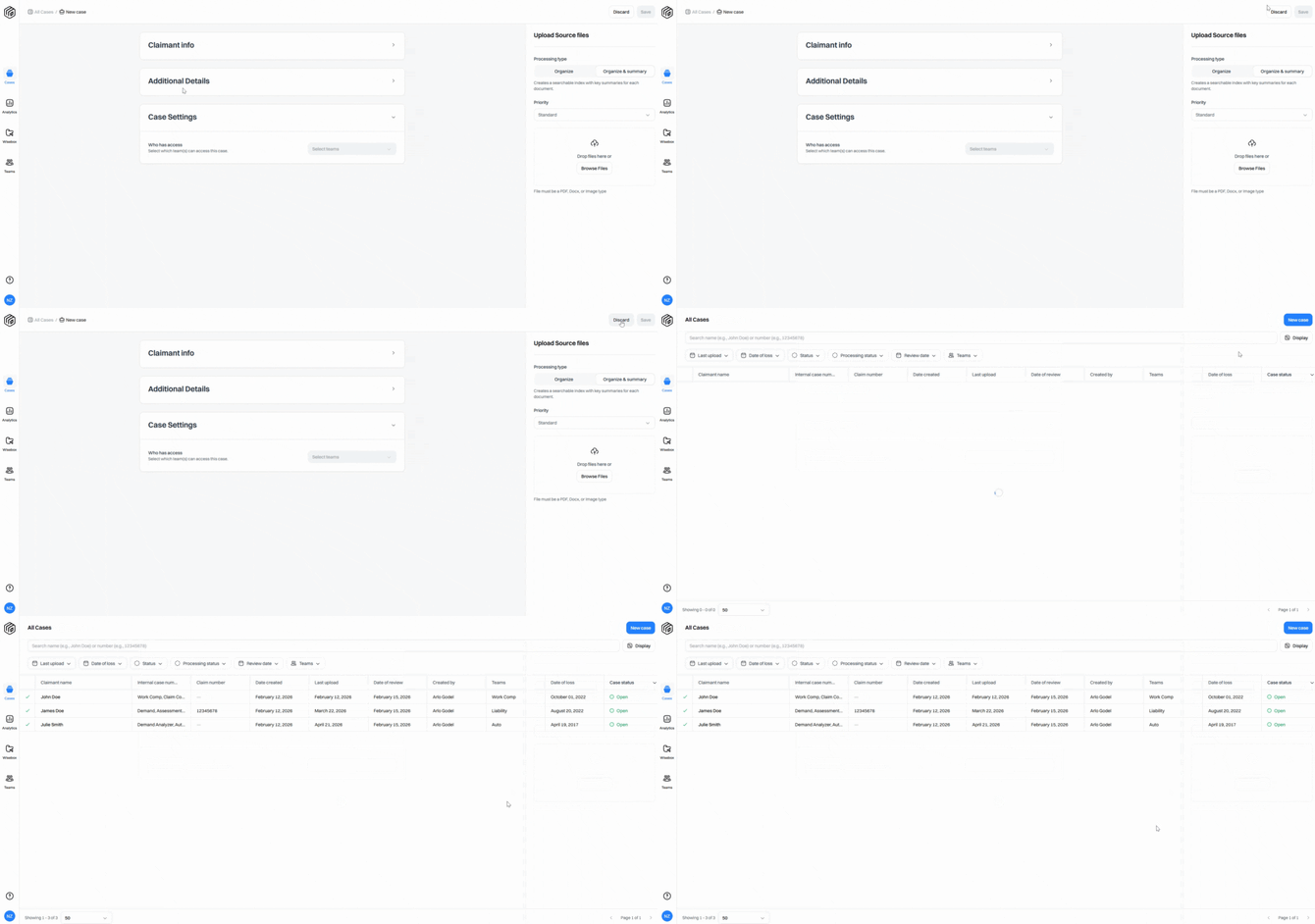
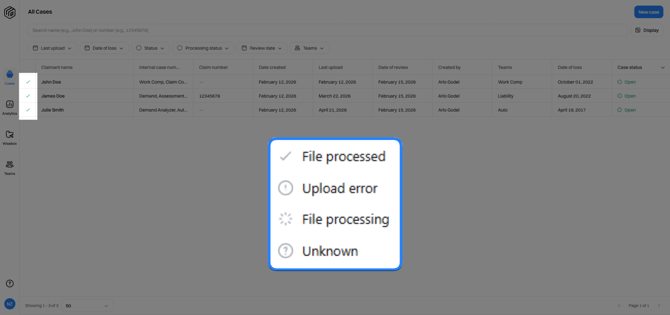
On the All Cases view, you can track the status of all your cases — including statuses like File Processed, Upload Error, File Processing, or Unknown.
If you have questions about processing status, reach out to the Wisedocs Support Team at help@wisedocs.com.
Creating a case is quick and straightforward, so you can focus on what matters most.