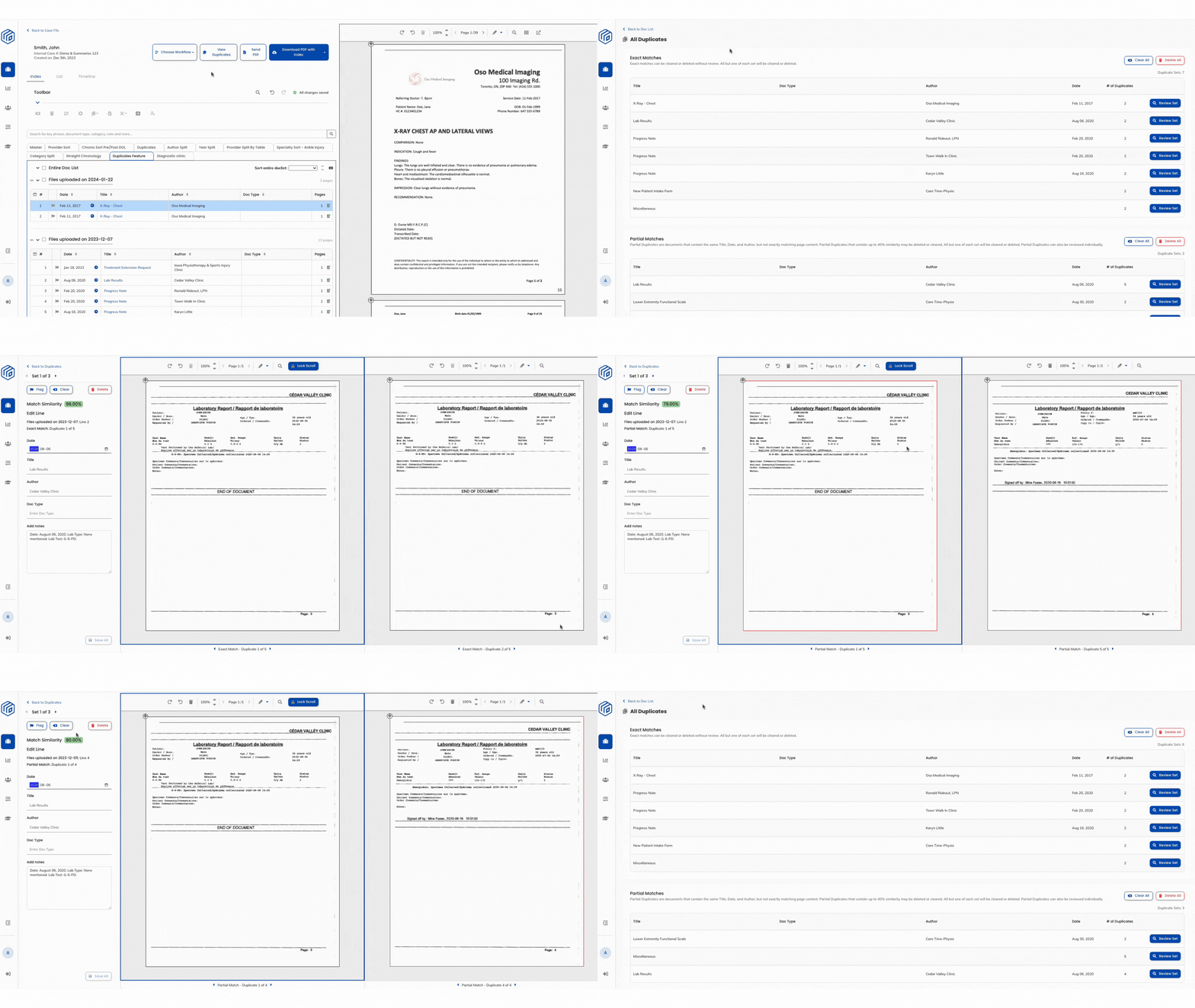
Wisedocs' new and improved deduplication feature allows customers to quickly identify and isolate duplicate pages to streamline medical record review. Let's dive in to how this feature works.
What is Deduplication?
Wisedocs' Deduplication feature allows our clients to review sets of exact and partial matches of medical documents to streamline your medical record review.
Our platform leverages intelligent OCR technology to consider the total character count on the page to flag potential duplicate pages, ensuring greater accuracy in identification and more duplicate pages being detected.
When viewing each set of duplicates, Wisedocs' indicates a Match Similarity score, representing the percentage of how exact the duplicate pages appear, providing valuable insight to determine if duplicates should be removed in your in-depth analysis.
Our platform leverages intelligent OCR technology to consider the total character count on the page to flag potential duplicate pages, ensuring greater accuracy in identification and more duplicate pages being detected.
When viewing each set of duplicates, Wisedocs' indicates a Match Similarity score, representing the percentage of how exact the duplicate pages appear, providing valuable insight to determine if duplicates should be removed in your in-depth analysis.
This feature takes broader consideration of how the text is presented on the screen and will factor in the total character count. As a result, this feature will be better equipped to find exact duplicates with greater accuracy.
How To Use Deduplication
- Navigate to the Cases Page and select which case you would like to work in by selecting "View Doc List"
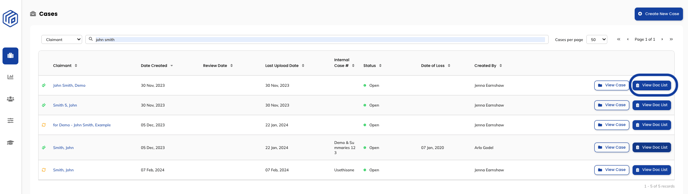
- Ensure you select the appropriate Doc List you would like to work in. In this example, we are working in "duplicates feature" Doc List and will see all duplicate sets present within this Doc List.
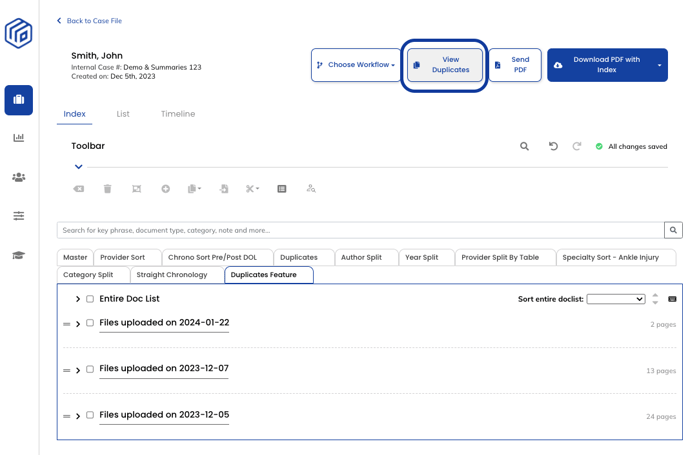
- Navigate to the top bar and select the "View Duplicates" button

- In the "All Duplicates" page, you will see a list of all Exact and Partial Duplicate sets.
- In this page, you can see the number of duplicate pages in each set, along with the page's Title, Author & Date.
- Exact matches can be cleared or deleted without review. All but one of each set will be cleared or deleted.
- Partial Duplicates are documents that contain the same Title, Date, and Author, but not exactly matching page content. Partial Duplicates that contain up to 40% similarity may be deleted or cleared. All but one of each set will be cleared or deleted. Partial Duplicates can also be reviewed individually.
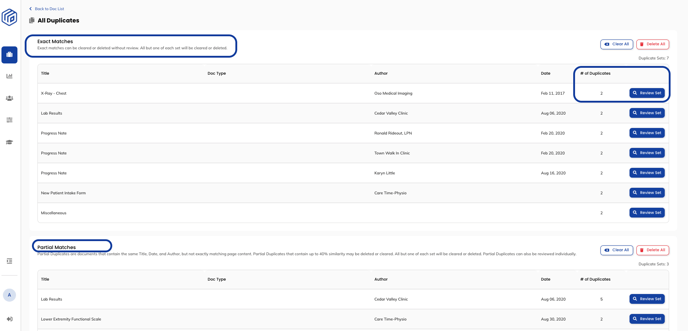
- To review the set of duplicate pages select the "Review Set" button

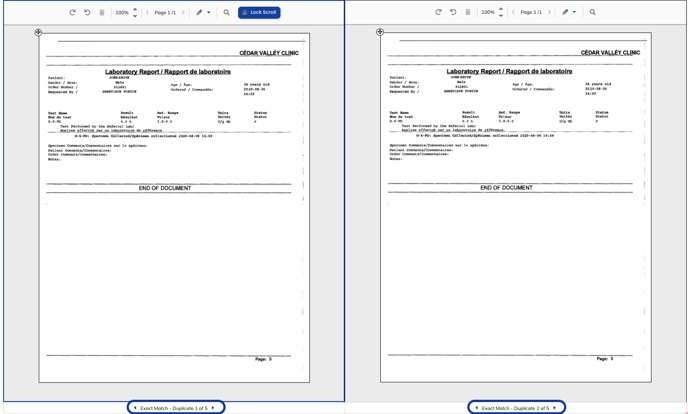
- In the "Duplicates Page" you will be able to see each set of duplicate pages in a side by side view for in-depth analysis.
- At the bottom of the page-by-page viewer, you can navigate through each page of the duplicate set to verify the similarity of the pages.
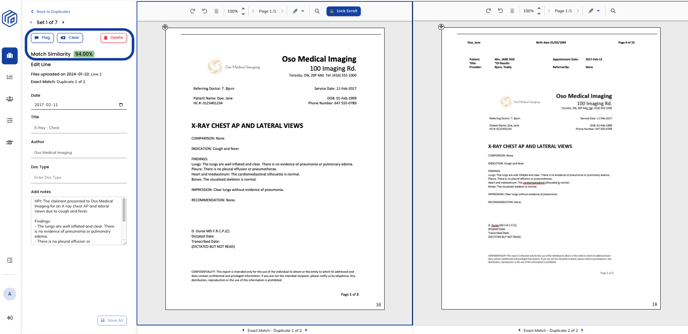
- A Match Similarity score will appear on the left, indicating the similarity percentage of the documents presented.

- On the left, you will have the ability to Flag, Clear, or Delete the set of duplicates.
- "Flag" will label the set with a red flag mark on the Doc List to indicate that this set of duplicates needs further analysis.

- "Clear" will clear this set of duplicates from the "All Duplicates" page indicating this set is not a set of duplicates and will remain in the PDF Doc List.
- "Delete" will delete all but one duplicate page from the set in the list. These deleted lines and documents will still be available in the Master Doc List.
- "Flag" will label the set with a red flag mark on the Doc List to indicate that this set of duplicates needs further analysis.
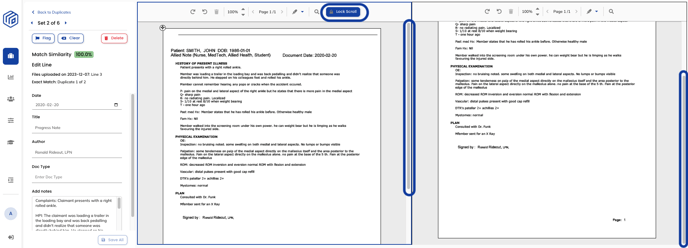
- To scroll through the duplicate pages side-by-side, click the "Lock Scroll" button to disable the default setting, enabling pages to scroll simultaneously.


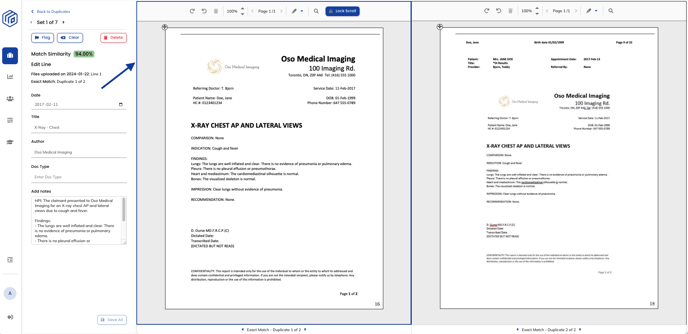
- Important to note: When flagging, clearing, or deleting a duplicate page, ensure that the blue border is selected around the appropriate page you wish to discard or flag. The blue border indicates which page you are referencing.
See a demo of Deduplication below: