
With the Multi Doc List Feature, you have the option to download additional files only.
Downloading additional files only
How do I download additional files only?
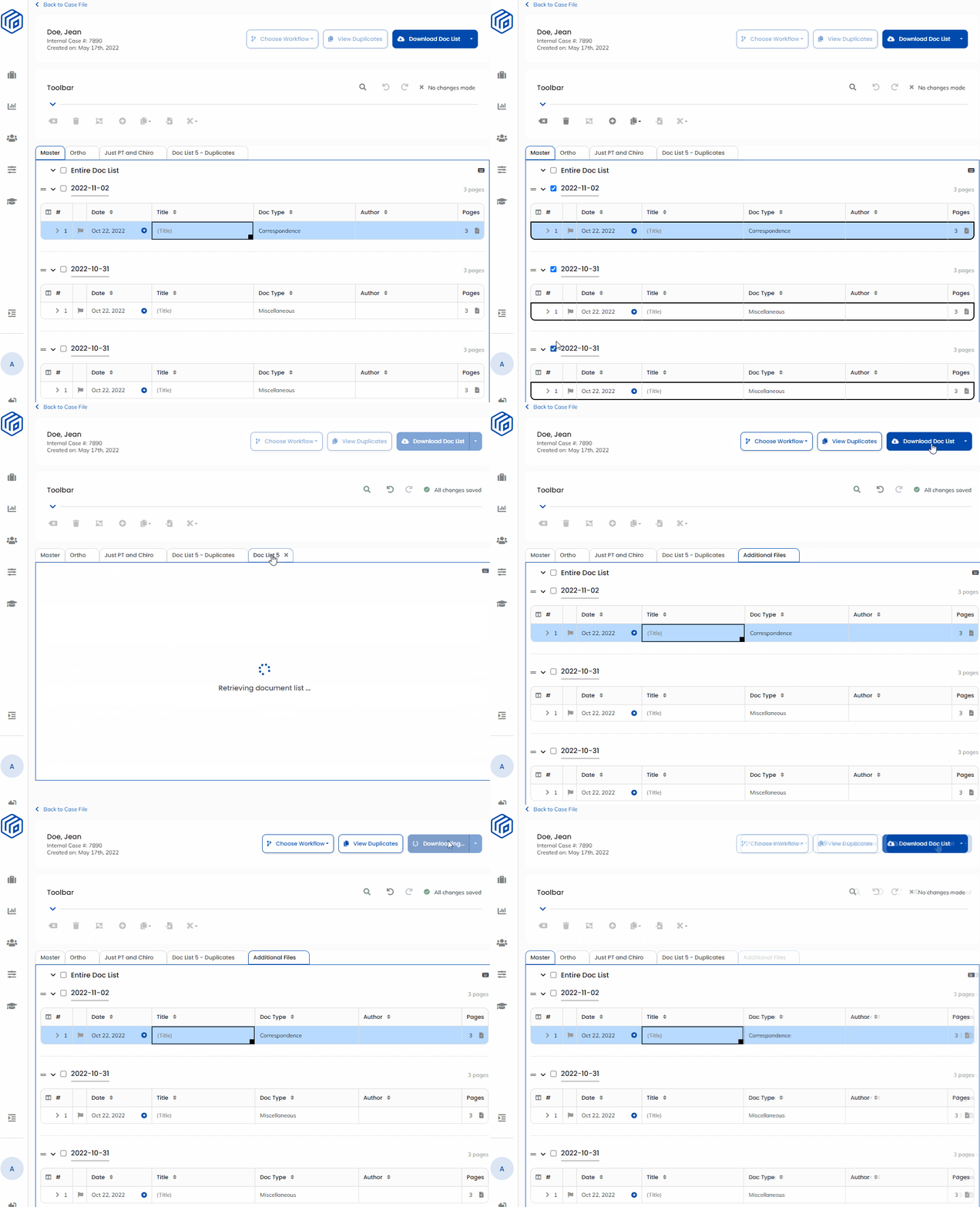
- Select the files you would like to download by checking the box next to the date the file was uploaded
- Click the 'Create New' button in the toolbar to create a custom Doc List for these additional files

- Name your new custom Doc List - in the demo we named it "Additional Files"
- Select the custom Doc List for “Additional Files” from the tab strip
- Click on the Download Doc List button to download the additional files only
Demonstration:
Tip: You can customize your “Additional Files” Doc List each time new files are added to an existing case so that you are downloading only what you want and/or need.
Note: New file uploads always appear at the top of the Master Doc List as a new table.