
If you forgot your password and are unable to sign in to your account, you can request a password change through your email.
Reset your password
Forgot password
You can change your password for security reasons or reset it if you forget it. Use the following steps to reset your password and recover your account.
- Click ‘Forgot password?’ on the login page and you will receive an email link
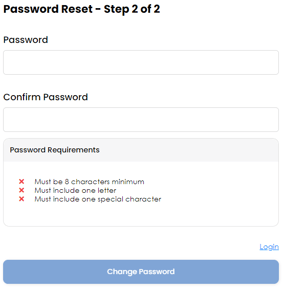
- You will then be prompted to create a new password
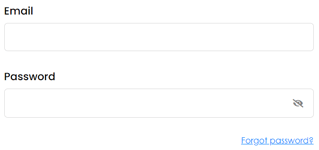
Caution: You need access to the email address associated with your account to reset your password.
Password reset steps
- Enter your email address in the password reset page and click 'Submit'
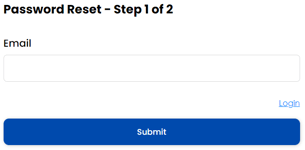
- Check your email for the password reset link and click 'Reset your password'
- Enter a new password and click 'Submit'
- You will see the following confirmation message if your password was reset successfully
-
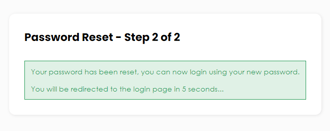 Sign in as usual with the new password
Tips for setting up a strong password:
- Use a unique password that is hard to guess
- Use a combination of letters, numbers and symbols
- Use a password that you will be using only for Wisedocs your account
- Keep your password secret