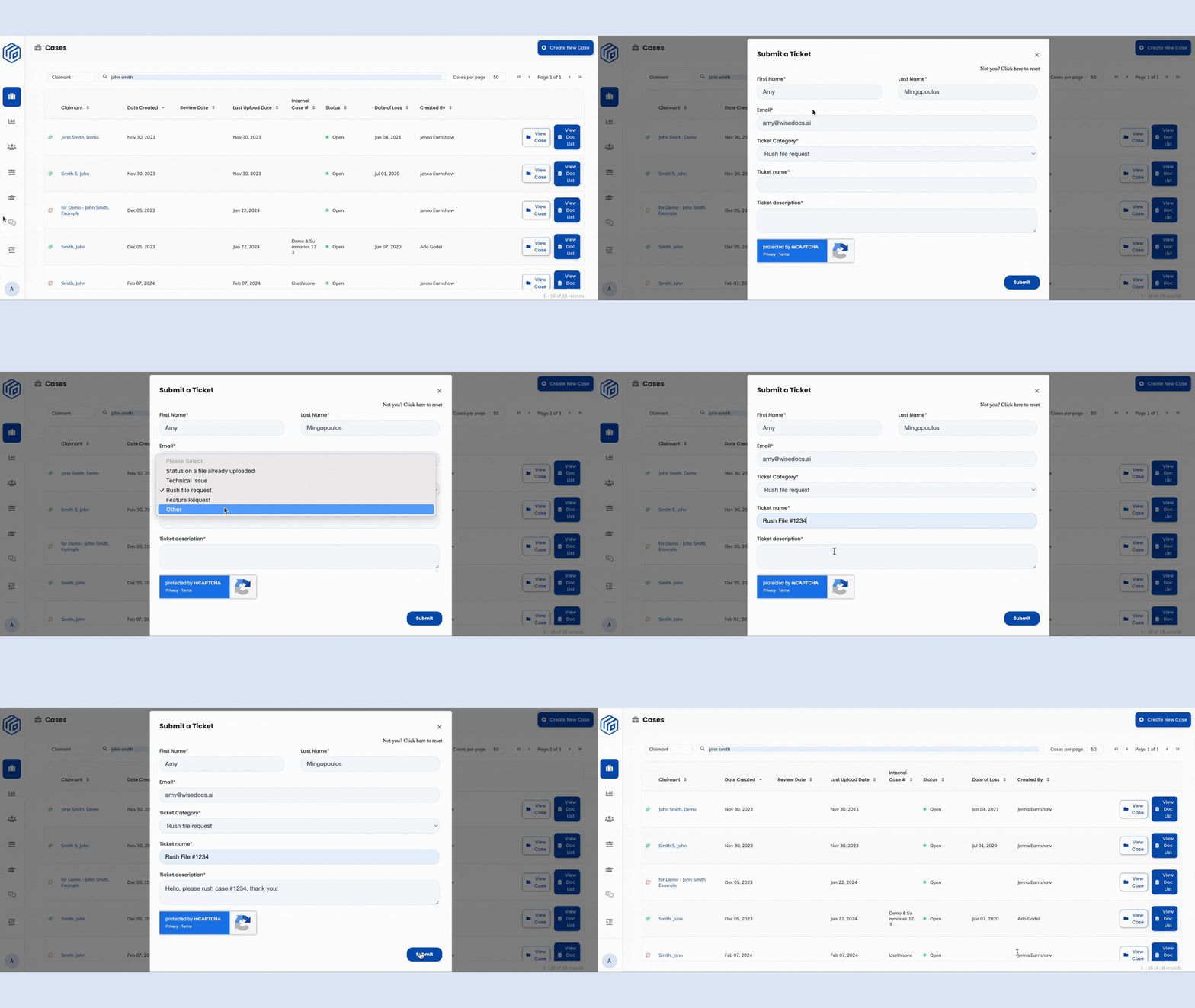
Wisedocs has a new in-platform Help Desk - designed specifically to streamline support and make things smoother for you!
This updated process means you no longer need to send an email and follow up manually. You can now submit a support request directly in Wisedocs' platform, making it easier to connect with our team and get the help you need!
How To Use the Help Desk
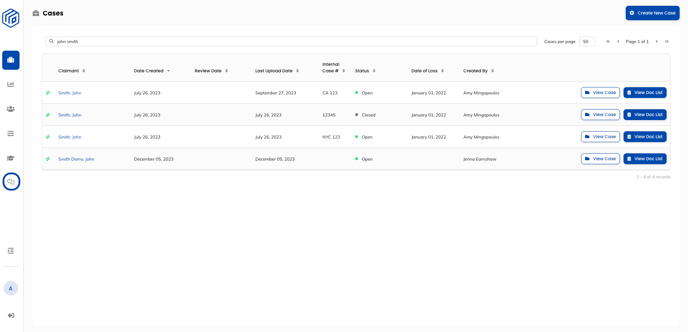
- In the Cases Page, locate the Help Desk button
 on the left-side navigation.
 - Click the Help Desk button to submit a support request.
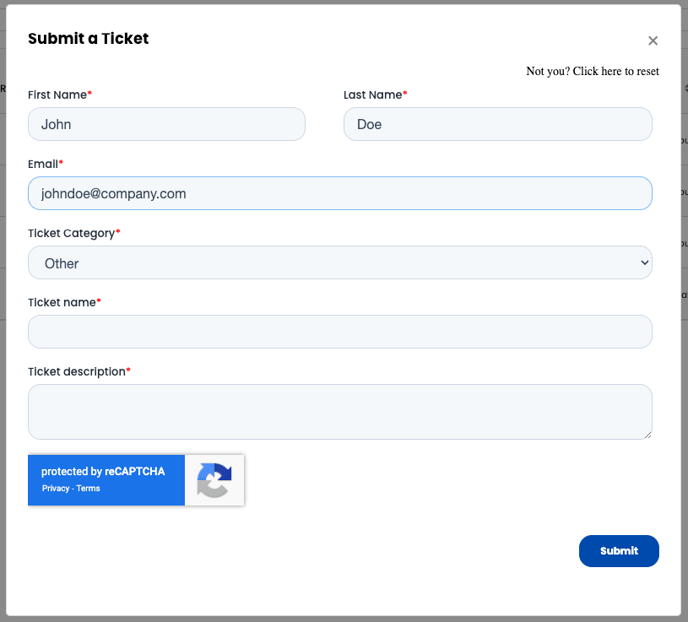
- A pop-up form will appear on the screen.
- Enter your Name and Email.
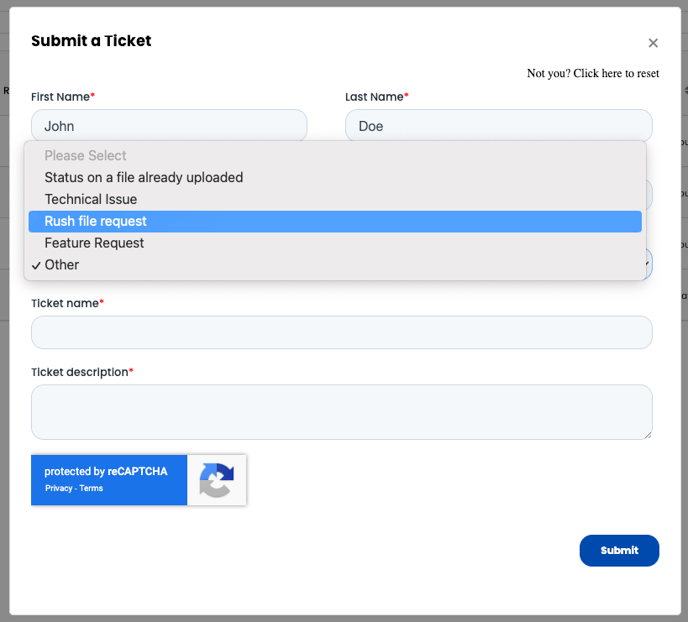
- Select the appropriate Ticket Category for the type of support you need:
- File Status Updates
- Technical Issues
- Rush File Requests
- Feature Requests
- Other Support Inquiries
- Enter a clear Ticket Name and Description for your request. If relevant, please include the Case ID you are referencing.
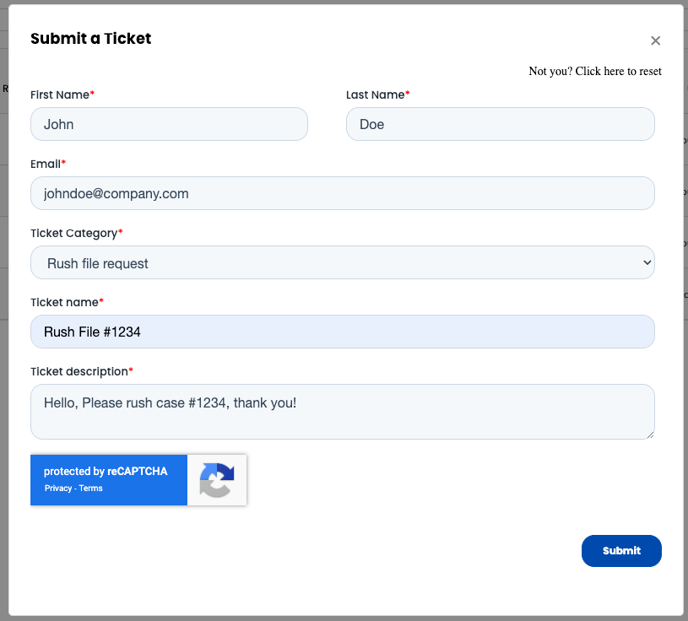
- Once submitted, our support team will review and respond promptly.
Note: Our support email, help@wisedocs.com, remains available to you, but requests submitted through the in-platform Help Desk will be prioritized for faster resolution.
See a demo of the Help Desk: