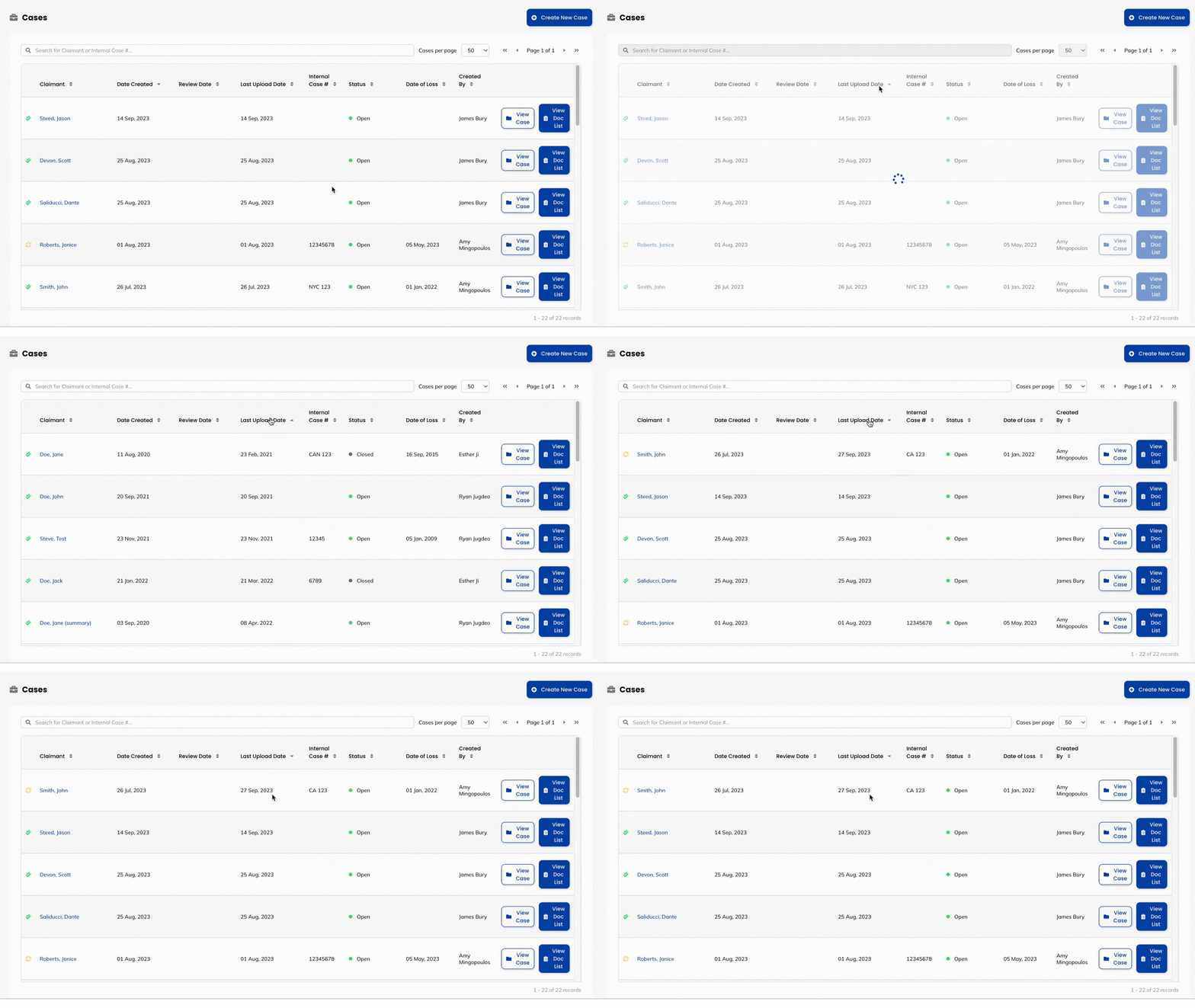
Wisedocs has a column that allows you to see and order documents by the Last Upload Date. Now you can easily decipher the most recent document added to your case for quick review.
What is the Order Cases Column?
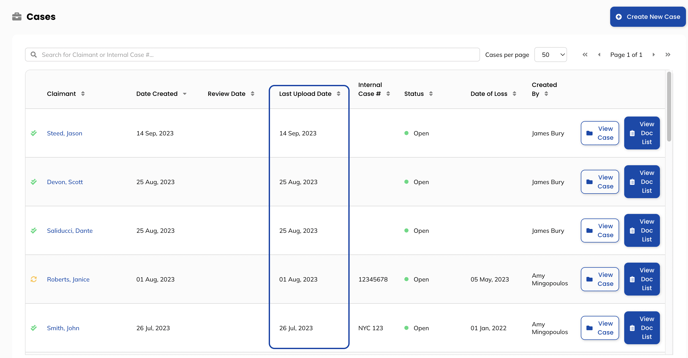
Wisedocs has introduced a new column on the cases page titled "Last Upload Date" alongside your files that now displays the date the specific file was uploaded to the Wisedocs platform.
How to View the Latest Uploaded Date Column?
- Navigate to the Cases Page of the platform
- In the header section of the page, you will now see a "Last Upload Date" column for your files.


- In this column, you can easily see when each file has been uploaded to the platform. Your files will automatically be sorted in chronological order from the date the case was created.
- To sort your files in chronological order from latest to earliest date uploaded, click on the "Last Upload Date" header. You will be able to order files by ascending or descending upload order by clicking the header again.
- Now your team can quickly sort by and review the most recent additional documents added to your case to streamline your medical record review process!
See Below for a Demo: