
Wisedocs recently rolled out Automated Workflows which allow Workflow customers to create custom sort orders to automatically rearrange the medical record - saving your team valuable processing time!
*Note: Workflows are a PRO feature. Please talk to your Customer Success Manager if you are interested in upgrading to this feature.
All existing Workflow clients will have automatic access to Automated Workflows.
What are Automated Workflows?
- Automated Workflows allow clients to select a workflow they'd like to run on files prior to uploading.
- With Automated Workflows, clients are able to create custom sort orders to automatically rearrange the medical record for your ease of use.
- Examples of Automated Workflows:
- Sort by Provider
- Chronological Sort
- Split Tables by Provider
- Selecting one of these workflows will automatically rearrange your case files using keyword mapping with custom keywords to quickly filter through your documents for review.
How do I use Automated Workflows?
- Go to the Create New Case page

- Under the Case Settings section when creating your new case, go to "Automated Workflow"
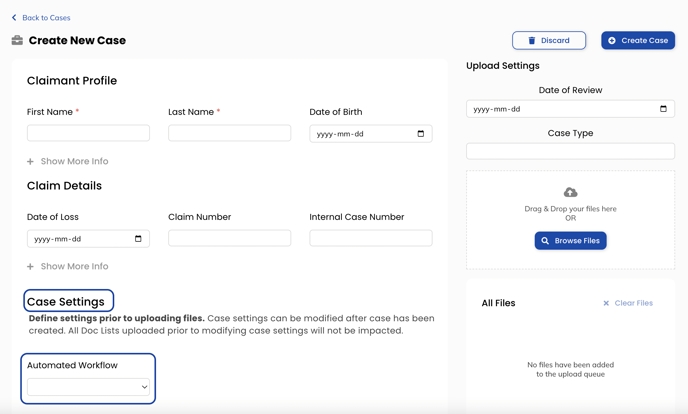
- Select which workflow you would like to use from the drop down. By selecting this workflow before uploading your files, this ensures your workflow will be run prior to receiving your case.
If you are interested in learning more about workflows, please contact your Customer Success Manager!
See below for a demo:
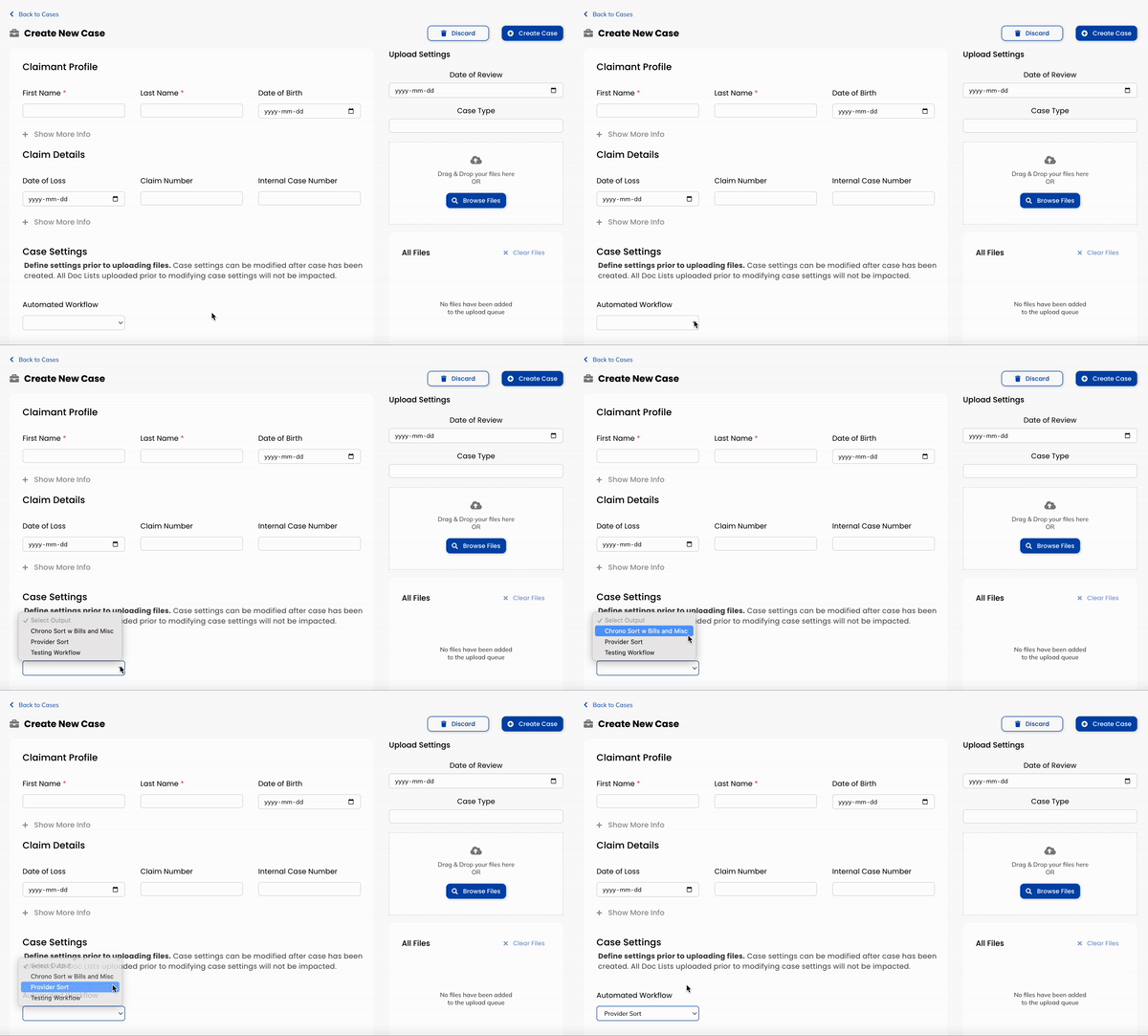
or watch this demo video by our Customer Success Team!