Deduplication
Last updated: September 24, 2026
Learn how Wisedocs' enhanced deduplication feature helps you identify, review, and manage duplicate documents more efficiently.
Managing Duplicate Documents in Wisedocs
Duplicate documents can slow down your workflow, increase review times, and introduce unnecessary risks. Wisedocs’ deduplication feature uses faster, smarter algorithms to catch and remove duplicate documents, giving you cleaner data and more reliable results. Here’s how it works, step by step.
Step 1: Enter a Case
As soon as documents are uploaded and processed in a case, the deduplication algorithm scans documents at the page level, using content-based matching rather than just file names or dates. This enhanced process helps catch duplicates that older methods might miss.
Two thresholds guide deduplication:
Exact match threshold
Partial match threshold
Documents that are above the exact match threshold are automatically marked as duplicates and sent to the archive. Those between thresholds get flagged for your review.
Step 2: Review Flagged Documents
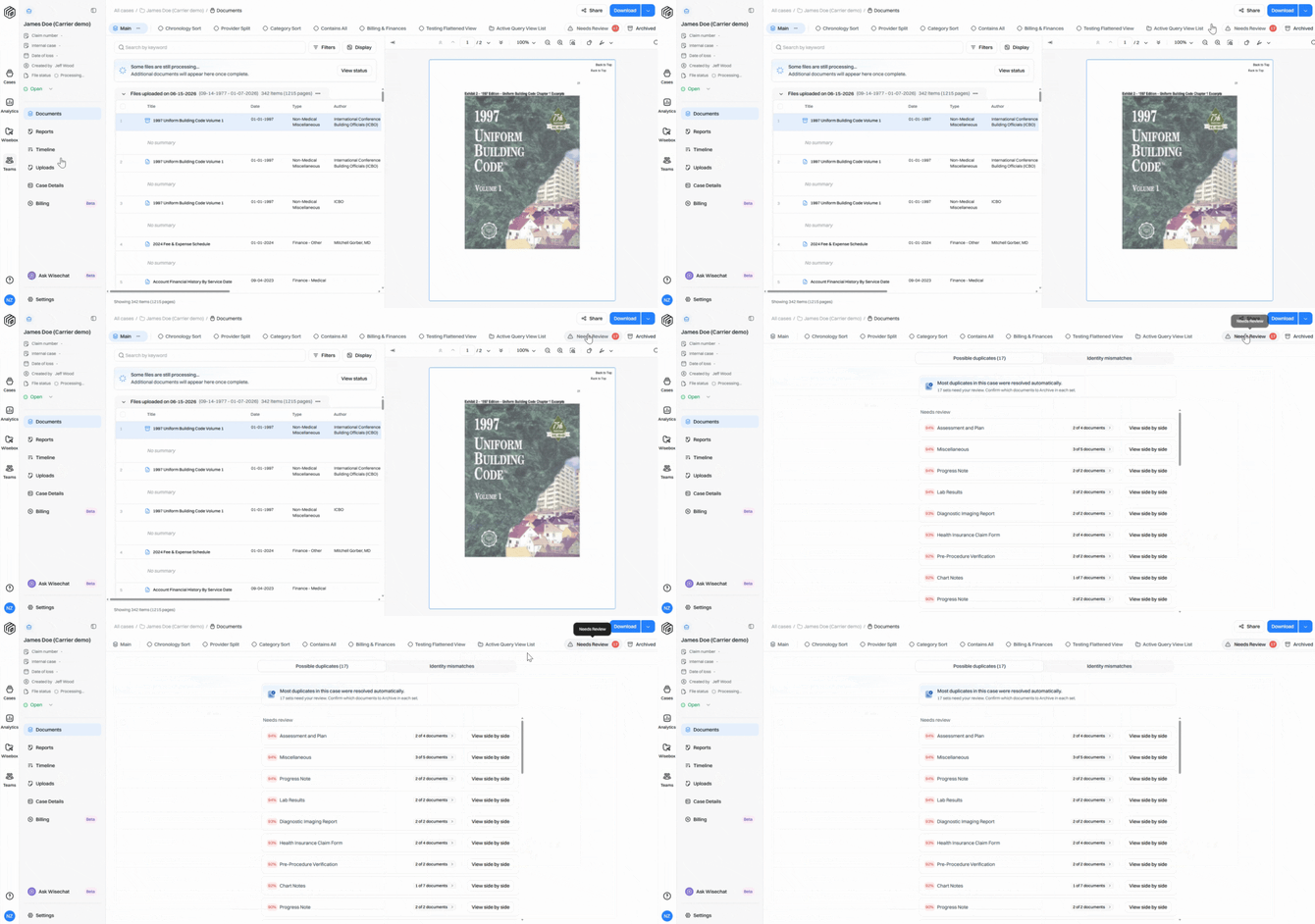
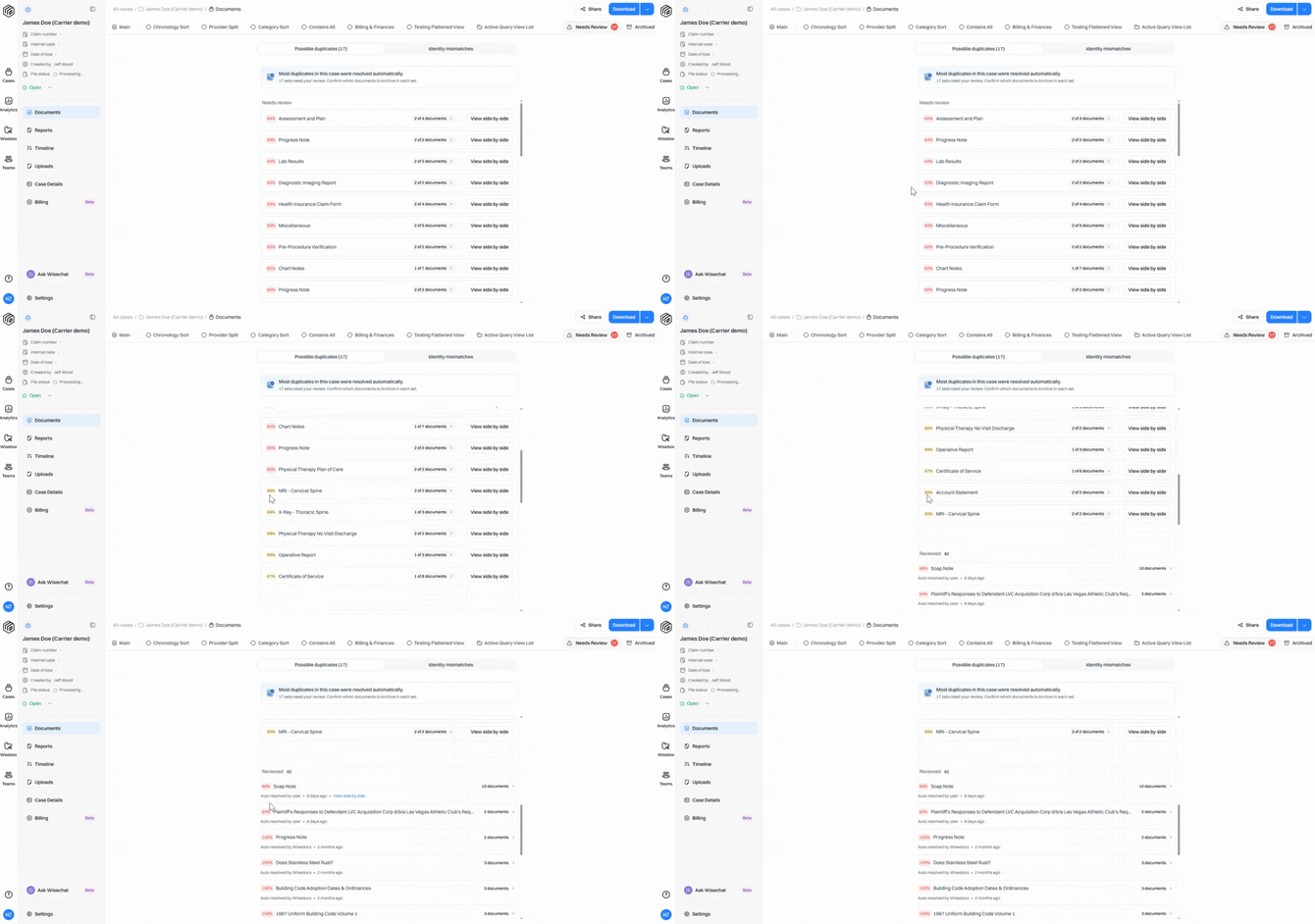
When documents need manual review, you’ll see a notification in the Needs Review section showing how many documents require your attention. Click into Needs Review to get started.
Step 3: Compare Pages Side by Side
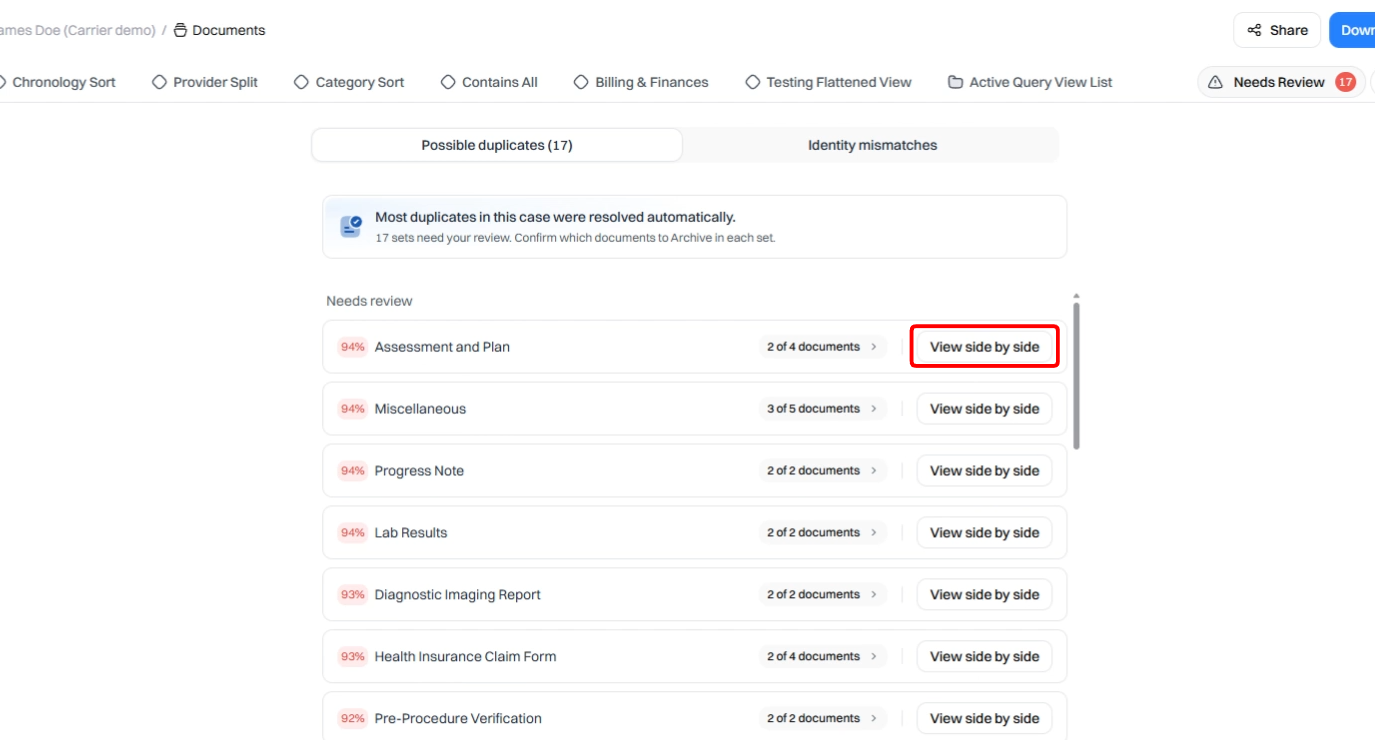
See a list of documents that need review with similarity percentages and page counts. Click View Side by Side to compare documents in detail.
Step 4: Decide What to Keep or Archive
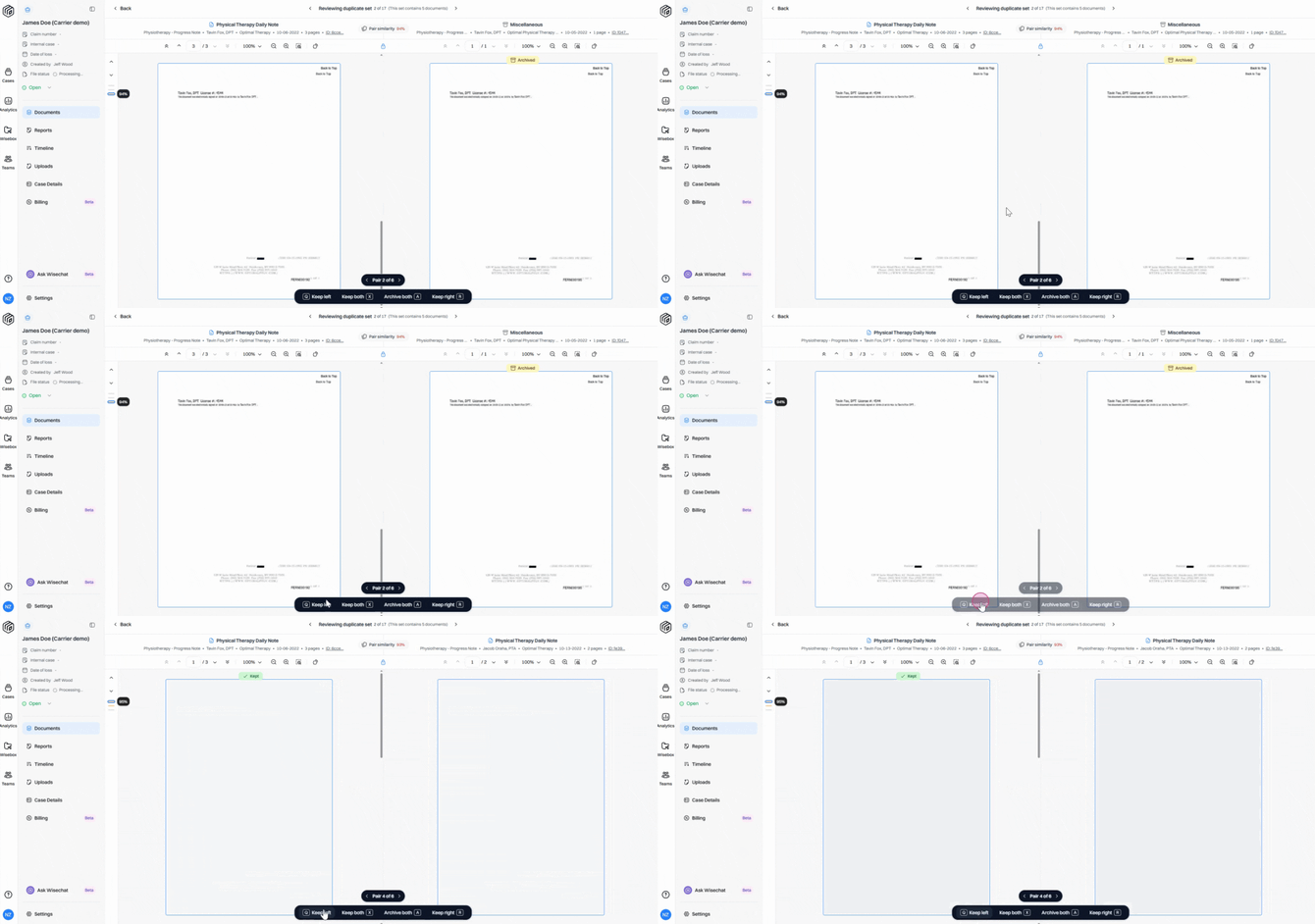
For each duplicate set, select whether to keep the left document, the right document, both, or archive both. The system automatically moves to the next pair as you make your choices.
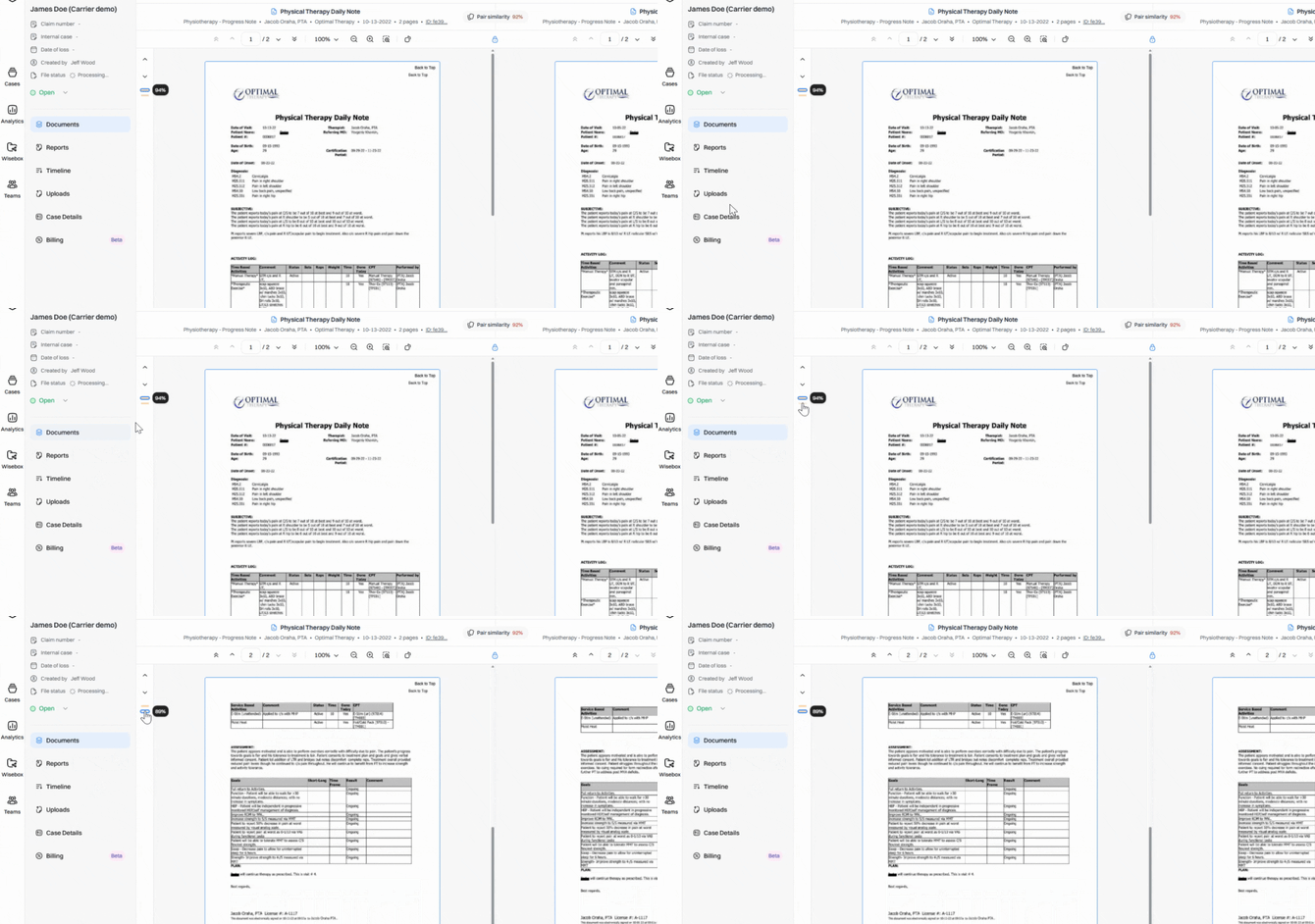
Page-level matches are highlighted, outlining the page level similarity percentage, so you can pinpoint exactly where duplication occurs.
Step 5: Complete the Review Process
Documents remain in Needs Review until you’ve reviewed every pair. Once done, they move to the Reviewed section, where you can update decisions or track changes made by your team.
Step 6: Find Duplicates in the Archive Collection
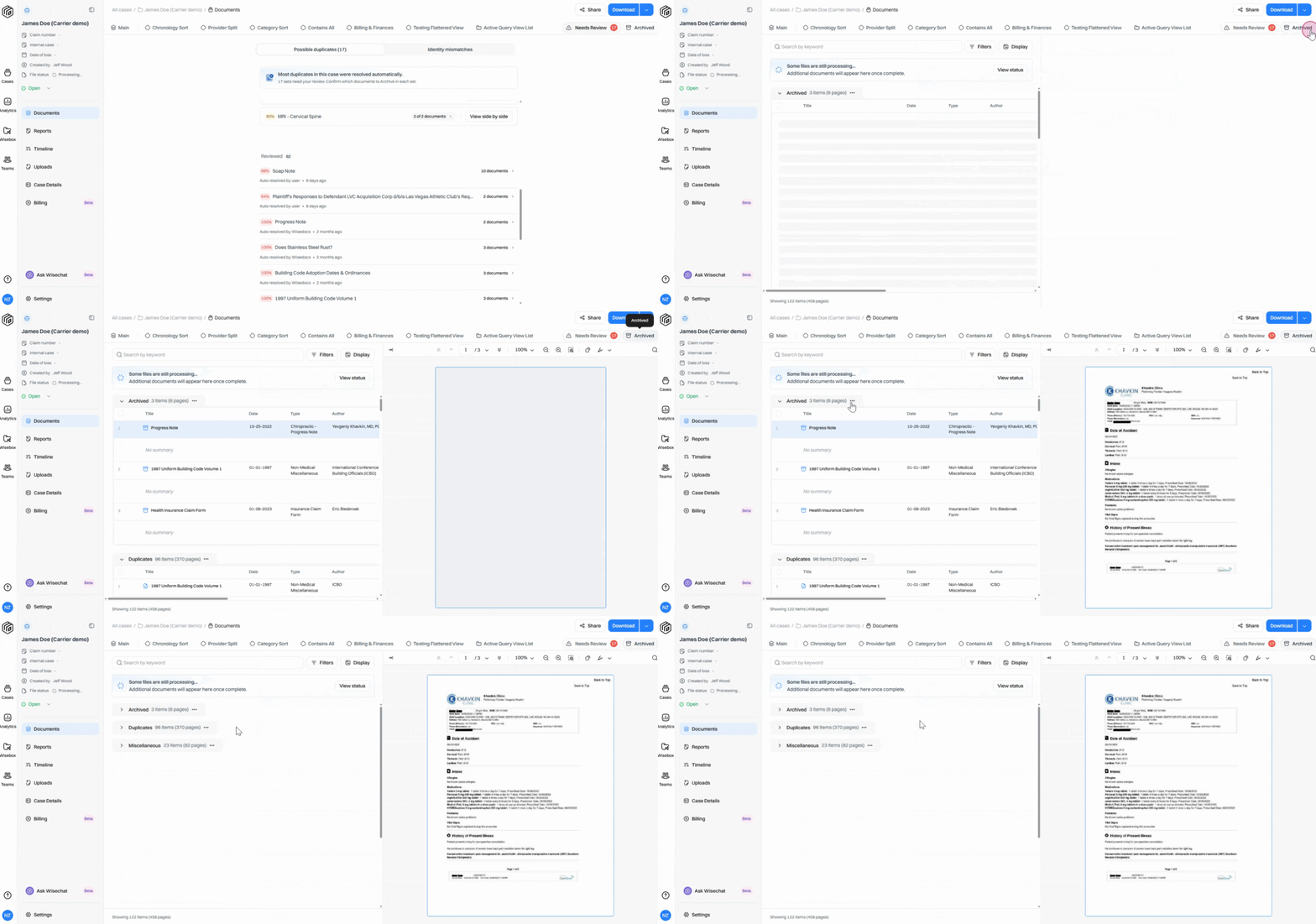
All identified duplicate documents collect in the Archive. Review their details anytime. Duplicates also remain visible in your main document collection, clearly marked with an archive icon.
Wisedocs deduplication ensures each case starts with a clean, organized set of records. By removing duplicates, your team spends less time managing files and more time focusing on work that drives outcomes.