
Workflows streamline your document sorting and review process. Your team can create custom defined workflows with keyword mapping to filter and rearrange your documents in the medical record within seconds - saving your team valuable time!
What is a Workflow?
A workflow allows your team to customize the document review process by automatically filtering and rearranging the medical record based on custom requests. Using custom keywords, your team can create as many versions of workflows as you want that will filter your documents for review.
By running these workflows, your team can save valuable time manually reviewing your documents and reallocate their efforts to focus on higher-value tasks.
Examples of Workflows:
Some examples of custom workflows the Wisedocs team can implement for you are the following:
- Sort by Provider
- Chronological Sort
- Split Tables by Provider
How do I run a Workflow?
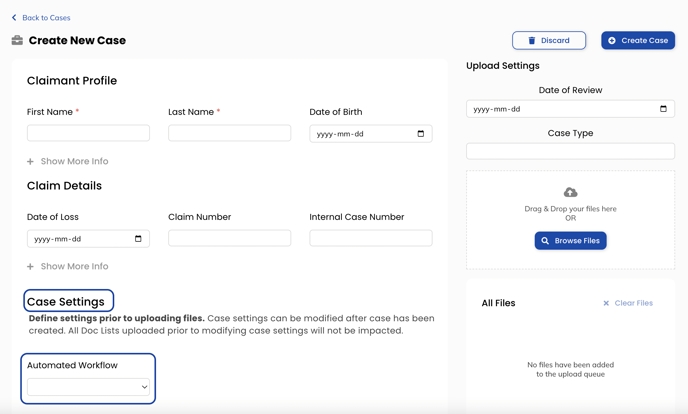
To set up a workflow, your team will meet with our Customer Success team to indicate your custom workflow request. Once the workflow has been added to your account, you can run the workflow on all your documents by selecting this option in "Case Settings" of creating a new case.
Automated Workflows
We recently launched our Automated Workflow feature, which allows clients to select the desired workflow prior to uploading files. This feature ensures ensures your workflow will be run on your files prior to receiving your case.
Learn more about Automated Workflows here.